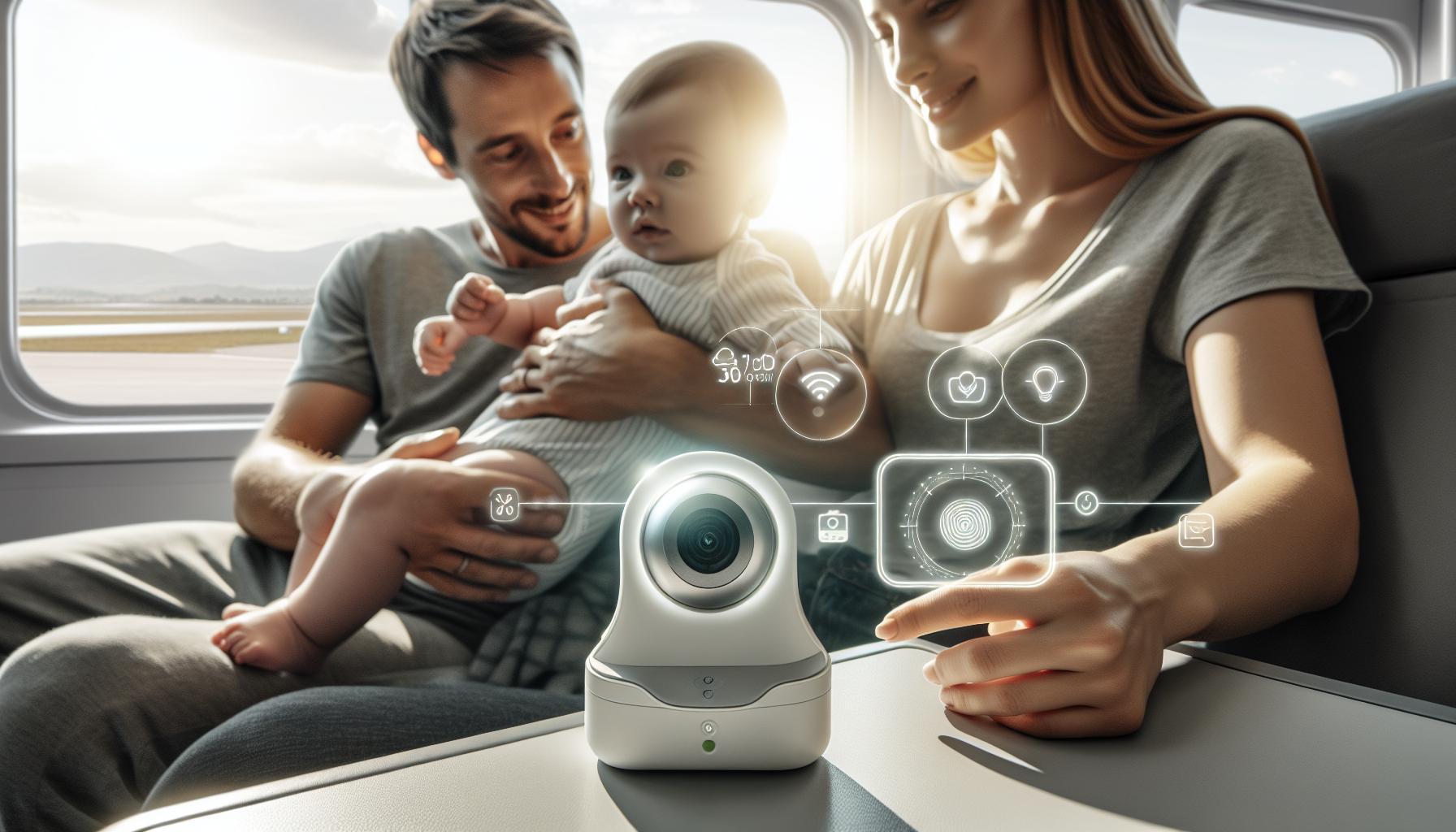
Choosing the right baby monitor can feel overwhelming, given the myriad options available today. Understanding the essential features and benefits, such as safety and convenience, is crucial for modern parents.This guide helps you find the ideal baby monitor that caters to your family’s unique needs, ensuring peace of mind as you care for your little one.
Understanding the different Types of Baby Monitors: Which One’s Right for You?
Understanding the Different Types of Baby Monitors
Choosing the right baby monitor can considerably enhance your peace of mind as a parent,allowing you to keep an eye (and ear) on your little one from anywhere in your home.With the myriad of options available, it can be daunting to select the perfect fit for your family’s unique needs. To streamline your decision-making process, let’s explore the primary types of baby monitors and what makes each one stand out.
- Audio Baby Monitors: These are the most basic type and are excellent for parents who want to listen to their baby without visual components. Audio monitors come equipped with features like adjustable volume control and two-way communication, allowing you to soothe your baby remotely. They are typically more affordable and portable, making them a popular choice for budget-conscious families.
- Video Baby Monitors: For those who prefer a visual connection, video monitors provide real-time footage of your child.These monitors often come with features like night vision, digital zoom, and pan/tilt options. Video monitors are ideal for parents who want the added assurance of being able to see their baby sleeping or playing, as they allow for a more extensive view of your nursery.
- Smart Baby Monitors: Integrating the latest technology, smart monitors sync with your smartphone or tablet, giving you the ability to monitor your baby from virtually anywhere. These devices often offer advanced features such as temperature sensors, motion detectors, and cloud storage for recording. Smart monitors are perfect for tech-savvy parents looking for a multifunctional device that enhances their monitoring capabilities.
- Wearable Baby Monitors: A newer innovation in baby monitoring, wearable devices are typically designed to be worn by the baby. these monitors track vital signs such as heart rate and oxygen levels, sending alerts to parents if any irregularities are detected. While they offer an additional layer of security, they are generally more expensive and may require more frequent charging.
When deciding on the best baby monitor for your family, consider your lifestyle and specific needs. Are you looking for something straightforward, or do you want the latest technology? Reflecting on your preferences can lead you to the ideal solution that provides both comfort and convenience.
| Type of Monitor | key Features | Best for |
|---|---|---|
| Audio baby Monitor | Basic sound monitoring, adjustable volume | Budget-conscious parents |
| Video baby Monitor | Real-time video, night vision, pan/tilt | Parents wanting a visual connection |
| Smart Baby Monitor | App integration, temperature sensors | Tech-savvy families |
| Wearable Baby Monitor | Vital sign tracking, alert notifications | Health-conscious parents |
With an understanding of the different types of baby monitors available, you’re better equipped to choose which best suits your family’s needs. Each type offers distinct advantages that can make your parenting journey smoother and more connected.

Key Features to Look for in a Baby Monitor: Safety, Sound, and More
essential Features of a Reliable Baby Monitor
When it comes to selecting the right baby monitor for your family, understanding what features are essential can make all the difference. A reliable baby monitor combines safety, sound quality, and advanced functionalities to ensure peace of mind for parents while keeping an attentive watch over their little ones. Here are some key features to consider:
- Video Quality: Look for monitors that offer high-definition video and night vision capabilities. Clear visuals can help you better monitor your baby’s activities, especially during the night. For instance, the Nanit Pro Baby Monitor provides HD video, allowing you to see your baby clearly in any light.
- Audio Features: Two-way audio is an invaluable feature that allows you to communicate with your baby. This can be calming for both you and your child, especially if they are feeling fussy. Ensuring clear sound quality is also vital, as it helps you hear your baby’s needs without distortion.
- Safety Protocols: Prioritizing safety is essential. Many modern monitors come with encrypted signals to prevent unauthorized access, ensuring that your privacy is maintained. Always check reviews or specifications for mentions of safety certifications.
- Smart Features: Many baby monitors now offer additional features such as sleep tracking, breathing monitoring, and integration with smart home devices. These features can provide deeper insights into your baby’s sleep patterns and overall well-being, helping you make informed decisions.
consider Your Space and Needs
Every family’s needs are unique, and so should be your choice of baby monitor. If you have multiple rooms or use different locations for your baby’s daytime naps, consider a monitor that allows for multiple camera connections. Models like the one discussed in a recent Reddit thread highlight the benefits of portable screens and effective sound machines, allowing parents to stay connected with their babies no matter were they are in the house [[2]].
Final Thoughts
Ultimately, the best baby monitor should align with your lifestyle and give you the reassurance needed during those early parenting days. By focusing on essential features such as video quality, audio capabilities, and safety protocols, you can find a monitor that suits your family’s specific requirements. as you assess your options, remember that a well-chosen monitor contributes significantly to a nurturing environment for your growing child, making the task of monitoring them both easier and more effective.
Setting Up Your Baby Monitor: Tips for Seamless Installation
Elevate Your Peace of Mind with Strategic Baby Monitor Placement
When it comes to ensuring your baby’s safety and your peace of mind, the proper placement of your baby monitor is crucial. A common advice is to position your monitor at least three feet (1 meter) away from the crib.This distance helps minimize any potential electromagnetic field (EMF) exposure while still providing a clear view of your little one. Choosing the ideal spot for your monitor not onyl enhances signal clarity but also aligns with safety guidelines, which is an essential factor when searching for the perfect fit for your family.
Choosing the Right Location
Here are some practical tips to consider when you’re setting up your baby monitor:
- Height Matters: Mount or place the monitor at a height that gives a clear angle of the crib, ideally at eye level or slightly above.
- Furniture Barriers: Avoid obstacles like bookshelves or curtains that could block the camera’s view or disrupt the signal.
- Check Wi-Fi Connection: For Wi-Fi-enabled monitors, ensure they are within the range of your home network to maintain a stable and secure connection.
additionally, consider testing the audio and video feed from various spots in your house to ensure that you can hear and see everything clearly during naptime or nighttime.
Real-World Examples for Enhanced Monitoring
Many parents find success using wall mounts for their video monitors, which can offer a more stable and adjustable viewing angle. As an example, you might place the monitor in a corner of the room at an angle that captures the entire sleeping area. If you’re using a handheld video monitor, try to keep it charged and within easy reach in your own bedroom or living space when you need to check in.
By strategically positioning your baby monitor and understanding the nuances of installation, you’re not only enhancing the functionality of the device but also ensuring it serves as a reliable guardian while you focus on the joy of parenthood. This thoughtful approach is essential for those looking for the best baby monitor that fits seamlessly into their family life.
Ensuring Privacy and Security with Your Baby Monitor: What Parents Need to Know
Understanding the Risks of Baby Monitors
As baby monitors become increasingly sophisticated, the importance of ensuring their security cannot be overstated. Many parents are unaware that the same devices designed to keep their little ones safe can sometimes pose privacy risks. Recent reports have highlighted instances where hackers have gained unauthorized access to baby monitors, allowing them to spy on families in their most private moments. This underscores the necessity for vigilance in selecting and using baby monitoring technology.
Choosing a Secure baby Monitor
To protect your family from potential breaches, it’s essential to select a baby monitor equipped with robust security features. Here are key aspects to consider:
- Encryption: Opt for monitors that utilize secure encryption methods to protect the data transmitted between the device and the parents’ monitoring unit. This makes it significantly harder for unauthorized users to intercept feeds [[1]].
- Wi-Fi Security: Choose monitors that use a WPA2 encryption for Wi-Fi connections. This standard is more secure than WEP, which can be easily hacked.
- Regular Updates: Ensure that the firmware of the baby monitor is regularly updated to fix any security vulnerabilities that could be exploited by cybercriminals.
Best Practices for Monitoring
Even the most secure baby monitor can be compromised if not used wisely. Here are some practices to enhance your security:
- Change Default Passwords: Many baby monitors come with default passwords that are widely known. Changing these to a strong, unique password can significantly enhance security.
- Limit Access: Only allow trusted individuals to access your monitor. If using a Wi-Fi-connected monitor, consider creating a separate guest network for devices.
- Physical Security: Position the monitor in a way that minimizes the potential for being tampered with. Ensure that all devices connected to the monitor are secure and up to date.
knowing When to Disconnect
While baby monitors provide invaluable support,it’s crucial for parents to evaluate when one might be unnecessary.In some scenarios, opting to simply check on a child without the constant surveillance of a monitor can not only enhance privacy but also encourage a more conventional parenting approach. In fact, many parents have successfully raised children without video surveillance, relying instead on their instincts and parenting skills [[2]]. Make informed choices about when and how to use technology in parenting, ensuring it serves your family’s best interests.
By taking these proactive steps, you can enjoy the benefits of modern baby monitors while ensuring your family’s privacy and security remain a top priority.
How to Choose Between Audio and Video Monitors: A Parent’s Guide
Understanding Your Options
When it comes to ensuring your baby’s safety and comfort, the choice between audio and video monitors can significantly impact your peace of mind. Audio monitors are typically more affordable and easier to use, focusing solely on sound. They allow you to hear your baby’s cries or coos from another room, making them a solid choice for parents who prioritize simplicity and cost-effectiveness.Conversely, video monitors offer a comprehensive view of your baby’s environment, allowing you to visually check on your child without entering the room. This feature can be particularly beneficial for sleep training or during those restless nights when you want to ensure everything is alright without disturbing your baby.
key Considerations
Before deciding which type of monitor suits your family best, consider the following factors:
- Budget: Audio monitors generally cost less than their video counterparts. If you’re on a tight budget, an audio monitor might be the most practical choice.
- Room Setup: If your baby’s nursery is far from where you’ll spend most of your time, a video monitor can help you keep an eye on them without constant trips back and forth.
- Privacy Concerns: With video monitors, be mindful of privacy issues, especially if the monitor connects to Wi-Fi. Ensure that the model you choose has strong security features to protect against unauthorized access.
- features: Many video monitors come with additional features like night vision, temperature sensors, and two-way audio. Evaluate which features are most important to you and your baby’s care.
Matching Your needs
To make an informed choice, evaluate your specific circumstances and parenting style. for example, if you have a larger home or multiple floors, a video monitor may provide you with the confidence to manage baby care effectively from different areas. In contrast, if your living situation is smaller, an audio monitor could suffice.
Ultimately, selecting the right baby monitor hinges on understanding how each type will integrate into your daily routine and the level of surveillance you feel comfortable with. Make a list of must-have features while exploring options in the ‘Which Best Baby Monitor: Find the Perfect Fit for Your Family’ article to simplify your decision-making process.
| Feature | Audio Monitors | Video Monitors |
|---|---|---|
| Cost | Generally lower | Typically higher |
| Ease of Use | Simple functionality | May require setup |
| Visual Feedback | No | Yes |
| Additional Features | Limited | Can include night vision, temperature sensors |
| privacy | Less concern | Higher concern, depending on connectivity |
Ultimately, the right choice will align with your family’s unique needs and lifestyle. Whether you lean towards the uncomplicated approach of audio monitors or the reassurance of video monitors, being informed will guide your decision in selecting the perfect baby monitor.
Balancing Technology and Baby Care: When to Embrace Smart Monitors
The Rise of Smart Baby Monitors
In today’s tech-savvy world, the staggering rise of smart baby monitors is transforming the way parents engage in baby care. Unlike traditional monitors, these state-of-the-art devices offer a range of features that can significantly ease the worry of new parents. From HD video streaming to temperature and humidity sensors, smart monitors can provide valuable insights that go beyond merely listening to a baby’s cry. Though, with countless options available, it’s essential to balance convenience with the fundamentals of nurturing and care.
Evaluating Your Family’s Needs
When considering whether to embrace smart monitors, parents should evaluate their specific needs and lifestyle. Here are some critical factors to consider:
- Family Size: Larger families might benefit from multiple camera setups,allowing parents to monitor several children at once.
- Home Layout: If your home has multiple levels, a monitor with a long-range signal might be worthwhile.
- frequency of Travel: Families who travel frequently may prefer portable options that can easily be packed away.
- Technological Comfort: Not all caregivers may feel comfortable with technology, so user-friendly interfaces can make a significant difference.
As you explore options from the article ‘Which Best Baby Monitor: Find the Perfect Fit for Your Family’, assessing which features will genuinely complement your parenting style is essential for making an informed choice.
finding the Balance Between Technology and Care
The convenience of smart monitors should not overshadow the irreplaceable human touch in caregiving. For instance,while features such as night vision and motion detection can alert parents to potential issues,they shouldn’t be seen as a substitution for direct interaction with your baby. Establish a routine that incorporates checks on your child without over-relying on technological alerts.Here’s how to combine both approaches:
| Smart Monitor Features | Complementary Care Practices |
|---|---|
| Video streaming | Frequent physical check-ins |
| temperature alerts | regular room inspections |
| Audio alerts | Responsive soothing rituals |
By implementing a strategy that combines the sophisticated capabilities of smart technology with essential parenting practices, you can enjoy peace of mind while ensuring a nurturing environment for your baby. Embracing this balance allows parents to maximize the benefits of smart monitors while maintaining a strong emotional connection with their child.
Budget-Friendly Options: Finding Quality Monitors Without Breaking the bank
Making smart Choices Without Sacrificing Quality
When it comes to outfitting your home with essential devices, budget constraints often pose a challenge. However, finding a quality monitor that meets your needs doesn’t have to break the bank. In fact, many budget-friendly options are available that deliver excellent performance while ensuring you don’t sacrifice crucial features. Whether you are looking to keep an eye on your little one or simply want a reliable monitor for everyday use, the market is filled with choices that can cater to your requirements without straining your finances.
top Picks for Affordable Quality Monitors
Here are some noteworthy budget-friendly monitors that have garnered positive reviews for their performance and affordability:
- AOC Q27G3XMN: A leading choice in the budget category, this 27-inch, 1440p monitor is particularly favored by gamers but versatile enough for general use. It balances quality and price effectively,making it an excellent pick for anyone on a budget.
- Dell P2719H: Known for its ergonomic design and reliable performance, this 27-inch Full HD monitor is ideal for those who prioritize comfort and usability.
- ASUS ProArt PA248QV: For those in need of color accuracy, this monitor is a fantastic option. It’s perfect for creative work, and its affordability makes it accessible to a wider audience.
| Monitor | Size | Resolution | Special Features | Price Range |
|---|---|---|---|---|
| AOC Q27G3XMN | 27 inches | 1440p | Great for gaming | $250 - $300 |
| Dell P2719H | 27 inches | 1080p | Ergonomic design | $200 – $250 |
| ASUS ProArt PA248QV | 24 inches | 1080p | Color accuracy | $250 - $300 |
By considering your specific needs, whether it’s for baby monitoring, gaming, or general home use, you can select a monitor that excels without overspending. Reviews and comparisons found in resources like “Which Best Baby Monitor: Find the Perfect Fit for Your Family” can also provide invaluable insights into making the most informed decision possible. Remember, investing in a high-quality monitor is not just about the initial cost; it’s about the value it brings to your daily life and how well it meets your unique needs.
Real Parent experiences: Learning from Others’ Choices in Baby Monitoring
Choosing the right baby monitor can feel overwhelming, especially with so many options available. However, real parent experiences offer invaluable insights that can simplify the decision-making process. Parents frequently enough share their stories about the features they found most beneficial, which can definately help you identify what might work best for your own family.
High-Definition Video and Night Vision
Many parents rave about the importance of a high-quality video feature,particularly in low-light conditions.For instance, one parent shared that the 1080p screen on the Bonoch Long Range Baby Monitor provided clear visuals even in the darkest rooms, allowing them to easily check on their baby without turning on lights. This feature proved essential during late-night feedings and diaper changes. Options that include superior night vision functionality can make these nighttime checks seamless.
- Enhanced Visibility: Look for monitors with a minimum of 720p resolution for clear video.
- Night Vision: Essential for monitoring your baby while they sleep soundly.
Battery Life and Portability
Portability and battery life are also critical factors for parents. One user highlighted that the Bonoch monitor has a remarkable battery life lasting up to a week. They appreciated being able to take the monitor into different rooms or even outside without worrying about frequent charging. This feedback underscores the need to consider how often you will need to move the monitor around and how much versatility you want.
Comparative Table: Features that Matter
| Feature | Bonoch Long Range Baby Monitor | Other Monitors |
|---|---|---|
| Video Resolution | 1080p | varies, often lower |
| Night Vision | Yes | some |
| Battery Life | Up to 1 week | More frequent charging |
| No Wi-Fi required | Yes | Limited options |
Sound Quality and Additional Features
Real-life experiences also highlight the importance of sound quality and additional features. Several parents expressed that monitors with high-fidelity audio helped them hear every rustle or sigh from their baby, ensuring peace of mind. Features like built-in lullabies and two-way audio can be game-changers, allowing parents to soothe their babies verbally from another room.
In essence, gathering insights from fellow parents not only helps when determining which baby monitor might be the best fit for your family but also allows you to prioritize the aspects that matter most to your specific needs. Engaging with firsthand experiences can clarify what features contribute significantly to your baby monitoring experience, leading to a more informed choice.
Q&A
which best baby monitor: How do I choose the right one for my family?
Choosing the right baby monitor involves considering your family’s specific needs. Look for features like video capabilities,sound sensitivity,and range. Assess whether a Wi-Fi or non-Wi-Fi monitor is best for your privacy concerns and home layout.
As an example, if you desire a secure option, a non-Wi-Fi monitor can be less vulnerable to hacking. Additionally, features like temperature monitoring and lullabies can enhance your baby’s comfort. To explore different types and how they work, visit our guide on baby monitor types.
Which best baby monitor: What features should I look for?
Key features to consider include video quality, two-way audio, battery life, and additional functionalities like night vision or mobile app support. This ensures you can monitor your baby effectively.
Such as, night vision allows you to see your baby clearly in low light, while two-way audio lets you speak to your baby from another room. Evaluating these aspects can help you find a monitor that fits your family’s specific needs.
Which best baby monitor: Can I use a smartphone as a baby monitor?
Yes,many apps transform your smartphone into a baby monitor,offering video and audio capabilities without additional hardware. This can be a cost-effective solution.
However, ensure your smartphone is connected to a secure Wi-Fi network to protect your privacy. Smartphone apps often come with features like alerts and motion detection, making them versatile for parents on the go.
Which best baby monitor: Why does security matter in baby monitors?
Security is crucial as many baby monitors connect to Wi-Fi, making them susceptible to hacking. As a parent, you want to protect both your baby’s privacy and your home network.
Using a non-Wi-Fi monitor can greatly reduce this risk, but if you opt for a Wi-Fi model, look for monitors with encryption and strong passwords. Understanding these elements helps ensure your family’s safety while using technology.
Which best baby monitor: What are the differences between audio and video monitors?
Audio monitors provide sound-only monitoring, while video monitors also include real-time video feed, allowing you to see your baby. Video monitors typically offer greater peace of mind.
If visual cues are important to you—like monitoring your baby’s sleep position—a video monitor may be best. However, audio monitors can be sufficient for those who are comfortable just listening.
Which best baby monitor: How do I set up a baby monitor?
Setting up a baby monitor generally involves unboxing the device,plugging it in,and following the included instructions to connect the units. Most monitors are designed for user-friendliness.
Always ensure the camera is positioned safely and securely to provide a clear view of your baby. Refer to the user manual for specific products to ensure you maximize functionality; you can find detailed setup instructions in our resources.
Which best baby monitor: Can I monitor my baby from another room?
Yes, most baby monitors allow you to monitor your baby from another room. This is one of the primary functions of both audio and video monitors.
Look for monitors with a strong range to ensure you can hear and see your baby throughout your home.Additionally, features like a parent unit or smartphone app access can enhance your ability to check in on your little one.
In Summary
choosing the right baby monitor is an essential part of ensuring your infant’s safety and your peace of mind. With options ranging from the highly-rated Infant Optics DXR-8 Pro, praised for its versatility, to the eufy spaceview Pro, recognized for its superior quality without Wi-Fi reliance, there is a solution for every family’s needs. Don’t forget to consider key features such as video quality, range, battery life, and security to find the perfect match for your household. Remember, investing time in understanding the technical aspects can pay off significantly in terms of convenience and security. We encourage you to explore our in-depth reviews and comparisons of these monitors to make an informed decision. Your little one’s safety is paramount, and the right baby monitor can help you feel connected and confident, no matter where you are in your home.
Get our latest guides, news, and insights highlighted in your Google Search & AI Overviews.