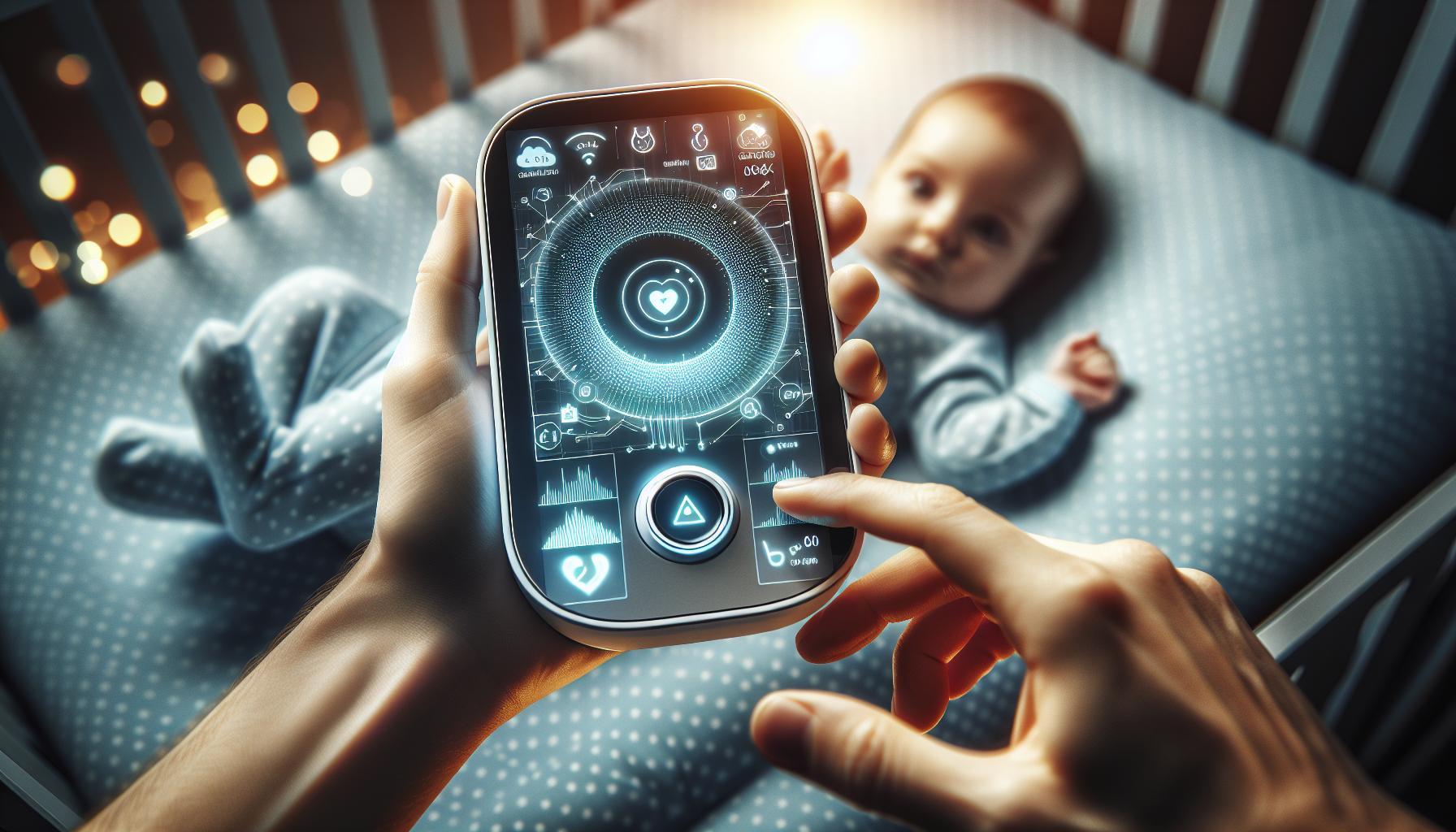
In an age where technology permeates every aspect of our lives, the security of baby monitors raises urgent concerns for parents. Wiht reports of hackers infiltrating these devices, safeguarding your child’s privacy has never been more crucial. Understanding the vulnerabilities of baby monitors is essential for ensuring your home remains a safe haven.
Understanding Baby Monitor Security: What Every Parent Should Know
In today’s digital age, where IoT devices have woven themselves into our daily lives, the safety of your baby monitor is a legitimate concern for many parents. Government agencies and security experts frequently warn that baby monitors can pose cybersecurity risks, making it essential for parents to understand how to protect these devices and, by extension, their families.
Recognizing the Risks
Many parents may be unaware that not all baby monitors have robust security measures in place. Cybercriminals can exploit weak passwords, outdated firmware, and unsecured wireless networks. A breach can lead to not just an invasion of privacy but also serious safety concerns.
- Poor Password Practices: Many users stick with factory-set passwords or use easily guessable ones, making it simple for hackers to gain access.
- Outdated Software: Failing to update the firmware of your baby monitor can leave it vulnerable to known security flaws.
- Insecure Networks: connecting your monitor to a public Wi-Fi network increases the risk of unauthorized access.
Essential Security Measures
Taking proactive steps to secure your baby monitor can mitigate these risks. Hear are some practical tips for parents:
- Change Default Passwords: Set strong, unique passwords for your baby monitor, using a combination of letters, numbers, and symbols.
- Regular Firmware Updates: Keep your baby monitor’s software updated to protect against known vulnerabilities.
- Secure Your Network: Ensure your home Wi-Fi is password-protected, and consider setting up a separate network for your baby monitor.
| Security Measure | Description |
|---|---|
| Change Default Passwords | Replace factory-set passwords with complex ones that are hard to guess. |
| Firmware Updates | Check regularly for updates and apply them as soon as they are available. |
| Network Segmentation | Use a dedicated Wi-Fi network for your baby monitor to limit potential access points. |
Staying Informed
lastly, parents should remain informed about the latest threats and trends in baby monitor security. Subscribing to security blogs and forums can help you stay ahead of potential risks, while regular discussions with other parents and experts can provide valuable insights into best practices. By taking an informed and proactive approach, you can substantially enhance the security of your baby monitor, ensuring a safer habitat for your little one.

Common Vulnerabilities in Baby monitors: Are You at Risk?
Understanding Baby Monitor Vulnerabilities
In a world where technology pervades every aspect of our lives, even the devices designed to keep our babies safe can pose significant risks. Baby monitors, while offering reassuring glimpses of your sleeping child, can also be gateways for cyber intrusions.Recent reports have highlighted troubling instances where baby monitors were hacked, exposing sensitive family data and even enabling eavesdropping. understanding the common vulnerabilities in these devices is crucial for parents keen on securing their children’s safety.
Key Vulnerabilities to Consider
Here are some prevalent security flaws associated with baby monitors that every parent should be aware of:
- Weak Passwords: Many users neglect to change default passwords, leaving devices open to unauthorized access.
- Unsecured Connections: Many baby monitors connect via Wi-Fi without encryption, allowing potential hackers to intercept the signal.
- Outdated firmware: Manufacturers might not regularly update their software, leaving known vulnerabilities unpatched and accessible.
- Insecure Home Networks: A poorly secured home Wi-fi network can give hackers an easy entry point to devices connected within it.
Precautionary Measures for Parents
To mitigate the risks associated with baby monitors, consider implementing the following actionable steps:
| Security Measure | Importance |
|---|---|
| Change Default passwords | Protects against unauthorized access by ensuring unique credentials. |
| Use Strong Wi-Fi Encryption | Secures your network and makes it harder for hackers to infiltrate. |
| Regularly Update Firmware | Patches vulnerabilities and strengthens overall device security. |
| Isolate Devices on a Separate network | Limits access and exposure of sensitive devices within the primary network. |
by being vigilant and proactive in addressing these vulnerabilities, parents can significantly reduce the risk of their monitors being compromised. Monitoring your baby’s safety shouldn’t come with an added layer of anxiety regarding cybersecurity; by taking informed steps, you can enjoy peace of mind.
Tips for Setting Up a Secure Baby Monitor in Your Home
Did you know that a significant number of baby monitors have been vulnerable to hacking? Studies have shown that as many as 50% of digital baby monitors can be accessed by someone outside your home if proper security measures are not taken. To safeguard your baby’s privacy and ensure your peace of mind, consider these effective strategies for setting up a secure baby monitor in your home.
Strengthen Your Wi-Fi Network
One of the first lines of defense against hackers is your Wi-Fi network.Here are a few essential steps to bolster its security:
- Change Default Credentials: Moast routers come with factory-set usernames and passwords. Customizing these will greatly reduce the chance of unauthorized access.
- Use Strong Passwords: Implement a complex password that includes a mix of letters, numbers, and symbols to make it hard for hackers to crack.
- Enable WPA3 Encryption: If your router supports it, use WPA3 encryption to enhance security further.
Keep Your Software Updated
Security vulnerabilities can often be patched with software updates. make it a habit to regularly check for updates for both your baby monitor and your router. This ensures that you’re using the most secure versions available. Look at the comparison of security types available in modern baby monitors:
| Monitor type | Common Security Features | Vulnerability Level |
|---|---|---|
| Analog Monitors | Basic functionality, no digital security | High |
| Digital Monitors | Encryption, password protection | Medium |
| Wi-Fi Connected Monitors | advanced encryption, two-factor authentication | Low to Medium (depending on setup) |
Enhance Authentication Measures
Adding layers of security can significantly bolster the protection of your baby monitor. Consider enabling options such as:
- Two-Factor Authentication: if your monitor supports it,activate two-factor authentication to require an additional verification step when accessing the monitor.
- unique User Accounts: Whenever possible, create unique usernames for accessing the monitor rather of sticking with generic ones.
By implementing these best practices, you’ll create a safer environment for your child while using a baby monitor, ensuring that you can rest easy knowing that your home is secure. The question of “Are baby monitors safe from hackers?” finds a more reassuring answer when you take proactive measures to strengthen your home security.
Recognizing Signs of a Compromised Baby Monitor: what to Look For
Did you know that baby monitors, while designed to keep an eye on your little one, could perhaps expose your home to security risks? With increasing reports of baby monitor hacks, it’s paramount for parents to stay vigilant about the signs that their device may be compromised. Understanding these warning signs can help safeguard not only your privacy but also your child’s safety.
Changes in Sound or Video Quality
If you notice any sudden changes in the sound or video quality of your baby monitor, this could be a significant red flag. For instance, if the feed becomes static-filled or if the visuals are unclear, it may indicate unauthorized access. Similarly, if there are sudden disruptions or peculiar noises you can’t identify, take those signs seriously.
Unwanted Alerts or Notifications
A sudden surge in false alerts or notifications is another indicator that your system might not be secure. These could range from alerts about motion when nothing is there to consistent notifications from the app, which could suggest malfunctioning software — or worse, interference from an unauthorized user. Always ensure that your app’s alerts align with actual conditions observed in the nursery.
Unexpected Device Behavior
Monitor your device for any unexpected behaviors, such as:
- Automatically turning on and off
- Connecting to unfamiliar networks
- Changes in device settings without intervention
These irregularities could signal that a hacker has gained control.It’s essential to regularly check the device for any unauthorized changes made to the settings.
Unfamiliar Devices on Your Network
Another potential warning signal lies within your home network. Take a moment to review the list of connected devices on your router. If you notice any unfamiliar devices linked to your Wi-Fi, this could indicate unauthorized access to your baby monitor. Additionally, periodically changing your Wi-Fi password and employing stronger security settings can help mitigate this risk.
| Warning Sign | Possible Risk | Action Steps |
|---|---|---|
| Sudden quality changes | Unauthorized access | Change passwords; reset device |
| False alerts | Malfunction or hacking | Check device settings; update software |
| Unexpected behaviors | Device compromise | Factory reset; secure Wi-Fi |
| Unrecognized devices on the network | Network intrusion | Change Wi-Fi credentials; monitor logs |
By remaining aware of these telltale indicators, parents can take proactive measures to protect their baby monitors from being hacked. Regularly monitoring your devices and being prepared to act quickly in response to these signs could mean the difference between a peaceful nursery and an unsettling breach of security.
Protecting Your Family’s Privacy: Best Practices for Baby Monitor security
as modern parents embrace technology to keep an eye on their little ones, the question arises: How safe are these devices from cyber threats? Baby monitors have evolved significantly over the years, offering features like video streaming and Wi-Fi connectivity, but with these advancements come heightened security concerns. Knowing how to protect your family’s privacy while using baby monitors is essential to safeguard your home from unwanted intrusions.
Understanding the Risks
Many parents may not be aware of the vulnerabilities linked to electronic baby monitors. Studies have shown that unprotected devices can be accessed by hackers, potentially allowing them to listen in on sensitive family moments or invade your child’s privacy. Keeping this in mind,it’s vital to adopt best practices for safeguarding your family’s details.
Best Practices for Baby Monitor Security
Here are several actionable steps you can take to enhance the security of your baby monitor:
- Change Default settings: always change the factory default username and password. Cybercriminals often exploit these as many users fail to make changes.
- Enable Two-Factor Authentication: If your baby monitor offers two-factor authentication,enable it to add an additional layer of security.
- Regularly Update Firmware: Keep the monitor’s firmware updated to the latest version. Manufacturers frequently enough release updates that address vulnerabilities.
- Use Strong Passwords: create a robust and unique password that combines letters, numbers, and symbols. Avoid using easily guessable information such as birth dates or names.
- Secure Your Home Wi-Fi: Ensure your home’s Wi-Fi network is secure by changing the default router password and using WPA3 encryption, the most secure encryption method available.
- Limit Public Access: If your baby monitor has remote viewing capabilities,be cautious about granting access to others.Only share access with trusted family members or friends.
Monitor Your Monitor
Monitoring the activity of your baby monitor can help detect any unusual behavior.Many devices will notify you of unauthorized access attempts; make sure notifications are enabled. You might want to regularly check the app associated with your baby monitor for any suspicious activity.
Table of Recommended security Features
| Feature | Purpose | Benefit |
|---|---|---|
| Changeable Password | Customizable access control | Prevents unauthorized access |
| Two-Factor Authentication | Additional security layer | Enhances account safety |
| Firmware Updates | Patch security flaws | Keeps device up-to-date |
| Encryption | Data protection | Safeguards transmitted information |
Incorporating these practices not only protects your devices but also ensures peace of mind while you care for your little one. Understanding the potential vulnerabilities of your baby monitor can empower you to take the necessary steps to protect your family’s privacy effectively. Stay informed and proactive in safeguarding your home against cyber threats so you can focus on enjoying those precious moments with your child.
Evaluating Different Types of Baby Monitors: Which Is Safest?
Understanding Baby Monitor Safety
As parents increasingly rely on technology to monitor their little ones, concerns regarding the security of baby monitors have surged. Alarmingly, some wireless baby monitors have been hacked, exposing sensitive audio and video feeds. This brings us to a crucial aspect of selecting a baby monitor: safety. Assessing the type of baby monitor can significantly impact its vulnerability, and understanding these differences is key to ensuring your child’s privacy and security.
Types of Baby Monitors
When evaluating baby monitors for safety, consider the following categories:
- Audio-Only Monitors: These are the simplest form of monitoring, using a radio frequency to transmit sound.With no video capability and minimal connectivity,they offer a lower risk of hacking.
- Video Monitors: These can be divided into local video monitors and Wi-fi-enabled options. While local video monitors, which use closed channels, provide enhanced privacy, Wi-Fi-enabled models are susceptible to online threats if not properly secured.
- Smart Monitors: These devices connect to your home Wi-Fi network,allowing for remote viewing and interaction through smartphone apps. However, they pose the highest risk for hacking, making strong passwords and regular software updates essential.
- Hybrid Monitors: Combining audio and video functionalities, these systems can be safer than purely Wi-fi options. However, their safety depends on the particular setup and security measures in place.
Security Measures for Baby Monitors
To enhance the safety of your baby monitor,adhere to the following best practices:
| Security Measure | Description |
|---|---|
| Change Default Passwords | Always change the factory settings on your baby monitor to a strong,unique password. |
| Update Firmware regularly | Monitor manufacturers often release updates to patch security vulnerabilities; keeping your firmware updated is vital. |
| Enable Encryption | Look for monitors that offer data encryption to safeguard the transmission of audio and video. |
| Use a Separate network | Consider placing your baby monitor on a different Wi-Fi network from your other devices to reduce exposure. |
By prioritizing these precautions, you can significantly mitigate risks associated with baby monitor security. Remember: while technology offers convenience, it requires vigilance to keep your child’s environment safe from potential cybersecurity threats. Integrating knowlege from resources such as “are Baby Monitors Safe from Hackers? Security Facts Every Parent Needs” can empower parents to make informed decisions for their families.
Regular Maintenance and Updates: Keeping Your Baby Monitor Secure
Did you know that a staggering number of baby monitors can be hacked within minutes if not properly secured? This shocking reality underscores the importance of regular maintenance and updates to your devices. To keep your baby monitor secure, implementing systematic updates and maintenance routines should be a priority for every parent.
Why Regular Updates Matter
Technology evolves rapidly, and so do the tactics employed by hackers. Manufacturers routinely release firmware updates to address vulnerabilities and enhance security features.Regularly updating your baby monitor not only helps safeguard against potential cyber threats but can also improve the device’s performance. Here are some key reasons to stay on top of significant updates:
- Patch Vulnerabilities: Updates can fix known security flaws that hackers exploit.
- Enhance Features: Some updates may include improved functionalities, providing a better user experience.
- Compliance with Standards: Keeping your device updated ensures compliance with safety standards set by regulatory bodies.
Steps for Effective Maintenance
Regular maintenance is essential for ensuring the longevity and security of your baby monitor.Follow these practical steps to keep your device secure:
- Check for Firmware Updates: Regularly visit the manufacturer’s website or app to see if new firmware updates are available.
- Reset default Passwords: Change the default login credentials to something stronger immediately after setup.
- Secure Your Wi-Fi Network: Use WPA3 encryption if available and create a strong password for your home network.
- Conduct Periodic Device Audits: Regularly review the connected devices on your network to spot any unfamiliar connections.
Creating a Maintenance Schedule
Developing a consistent maintenance schedule can help ensure that you never overlook updates or security checks. Consider the following table as a sample template for your maintenance schedule:
| Task | frequency | Notes |
|---|---|---|
| Check for Firmware Updates | Monthly | Visit manufacturer’s website |
| Change Passwords | Every 3 Months | Ensure passwords are strong and unique |
| Network security Audit | Bi-Monthly | Review all devices connected to your Wi-Fi |
| Reset Device Settings | Annually | Factory reset if unusual activity is detected |
By implementing regular maintenance and updates, parents can significantly reduce the risks associated with these devices and enjoy peace of mind. In an age where security concerns are paramount, keeping abreast of the latest safety measures answers the question: Are baby monitors safe from hackers? Staying vigilant with regular updates and proactive maintenance is essential for any family relying on these devices.
Building Trust with Technology: How to Feel Confident in Your Choice
It may seem daunting for new parents to navigate the digital landscape of baby monitors, especially with headlines highlighting security breaches and hacking incidents. Yet, trust can be built with the right approach to technology, empowering caregivers to feel confident in their choices while ensuring their child’s safety.
Understanding Security Risks
Being well-informed is the first step to instilling confidence. Parents frequently enough question,“Are baby monitors safe from hackers?” This reinforces the need for a proactive stance in evaluating technology. It’s important to understand that while vulnerabilities exist, many manufacturers have improved their security measures. Here are a few considerations:
- Regular software updates
- End-to-end encryption
- Two-factor authentication
by prioritizing products that adhere to these security standards, caregivers can significantly reduce the risk of unauthorized access.
Choosing the Right Baby Monitor
When selecting a baby monitor,parents should weigh options beyond just feature sets. It’s crucial to consider security ratings and user reviews. A well-informed choice can make the difference between peace of mind and constant worry. Here’s a simple comparison of monitor types:
| Type of Monitor | Security Features | Best For |
|---|---|---|
| WiFi Baby Monitors | Encryption, firmware updates | Tech-savvy parents |
| Audio monitors | Low hacking risk, basic security | Minimalist approach |
| Video Monitors (Non-WiFi) | Secure local transmission | Privacy-conscious parents |
Each type offers unique advantages and varying levels of security. Depending on individual needs, parents can select the monitor that aligns best with their lifestyle while maintaining safety.
Staying Vigilant After Purchase
even after you’ve chosen and set up your baby monitor,maintaining security is an ongoing process. Here are practical steps to ensure continued safety:
- Periodically change passwords and usernames
- Monitor device connections on your home network
- Educate yourself about the latest security updates from the manufacturer
Incorporating these practices can help parents maintain a secure environment for their little ones, thereby building trust in the technological choices made for their care. With awareness and diligence, caregivers can create a balance between embracing innovative monitoring solutions and protecting their family’s privacy.
Q&A
Are Baby Monitors Safe from Hackers? Security Facts Every Parent Needs?
baby monitors can be vulnerable to hacking, but with the right precautions, parents can enhance their security. Understanding how to secure your device is crucial in protecting your baby’s privacy and safety.
Using features like strong passwords and enabling two-factor authentication can significantly reduce the risk of unauthorized access. Additionally, regularly updating the monitor’s software and using a secure Wi-Fi connection are essential steps to improve its security. By staying informed and proactive,you can help ensure your baby monitor remains safe from hackers.
What are the common security risks associated with baby monitors?
Common security risks include unauthorized access, video and audio interception, and phishing scams. Not all baby monitors are built with robust security features, making them appealing targets for hackers.
In particular, Wi-Fi-enabled monitors can be susceptible to hacks if they’re not secured correctly.It’s essential to research a monitor’s security features and choose brands known for prioritizing safety. For more tips on selecting a secure monitor, check out our article on how to choose a baby monitor.
how can I secure my baby monitor from hackers?
To secure your baby monitor, start by using a strong, unique password and enabling two-factor authentication. Regularly updating the firmware is also crucial as manufacturers often release patches for vulnerabilities.
It’s advisable to use a separate Wi-Fi network for your baby monitor if possible and to disable features like remote viewing when not needed. Following these steps can significantly reduce the likelihood of unauthorized access to your monitor.
Can I prevent baby monitor hacking with software updates?
Yes,regularly updating your baby monitor’s software is one of the most effective ways to prevent hacking. Manufacturers frequently enough release updates to patch vulnerabilities and enhance security features.
Be proactive by enabling automatic updates if available,and frequently check the manufacturer’s website for any new updates. Staying current with security measures is essential in maintaining a secure device in your home.
what should I look for in a secure baby monitor?
When searching for a secure baby monitor, look for features like encryption, two-factor authentication, and regular software updates. These features greatly enhance the device’s security.
Additionally, consider opting for monitors that have received positive reviews specifically regarding their security. It’s also beneficial to choose a wired option if you are notably concerned about hacking, as these may offer greater security compared to some wireless models.
Why does my baby monitor need a secure Wi-Fi connection?
A secure Wi-Fi connection is crucial for protecting your baby monitor from hacking. Unsecured networks are prime targets, making it easy for hackers to gain access to your device.
Using a strong password for your network and enabling network encryption (like WPA2) significantly increases security. Avoid connecting baby monitors to public or unprotected Wi-Fi networks to help keep your baby safe.Always ensure your home network is secure as part of your overall strategy for protecting your baby monitor.
Can hackers access baby monitors remotely?
Yes, hackers can potentially access baby monitors remotely, especially if they are connected to the internet. This vulnerability highlights the importance of implementing strong security measures.
Many reported incidents involve hackers gaining access through weak passwords or unprotected networks. Regularly changing passwords and monitoring access logs can help you detect any suspicious activity early. For more information on monitoring device security, visit our section on baby monitor security tips.
In Summary
As we’ve explored,ensuring the safety of baby monitors from potential hackers is crucial for every parent’s peace of mind. By choosing monitors with strong security features, regularly updating software, and employing best practices for setup, you can significantly reduce risks.always remember to change default passwords and utilize secure networks whenever possible. Your child’s safety is paramount, and taking these steps can help you protect not only their well-being but also your family’s privacy.
We encourage you to keep learning about the latest security features and improvements in baby monitor technology. Don’t hesitate to reach out with any questions or share your experiences with your baby monitor setup. Together, we can foster a safer environment for our little ones.
Get our latest guides, news, and insights highlighted in your Google Search & AI Overviews.