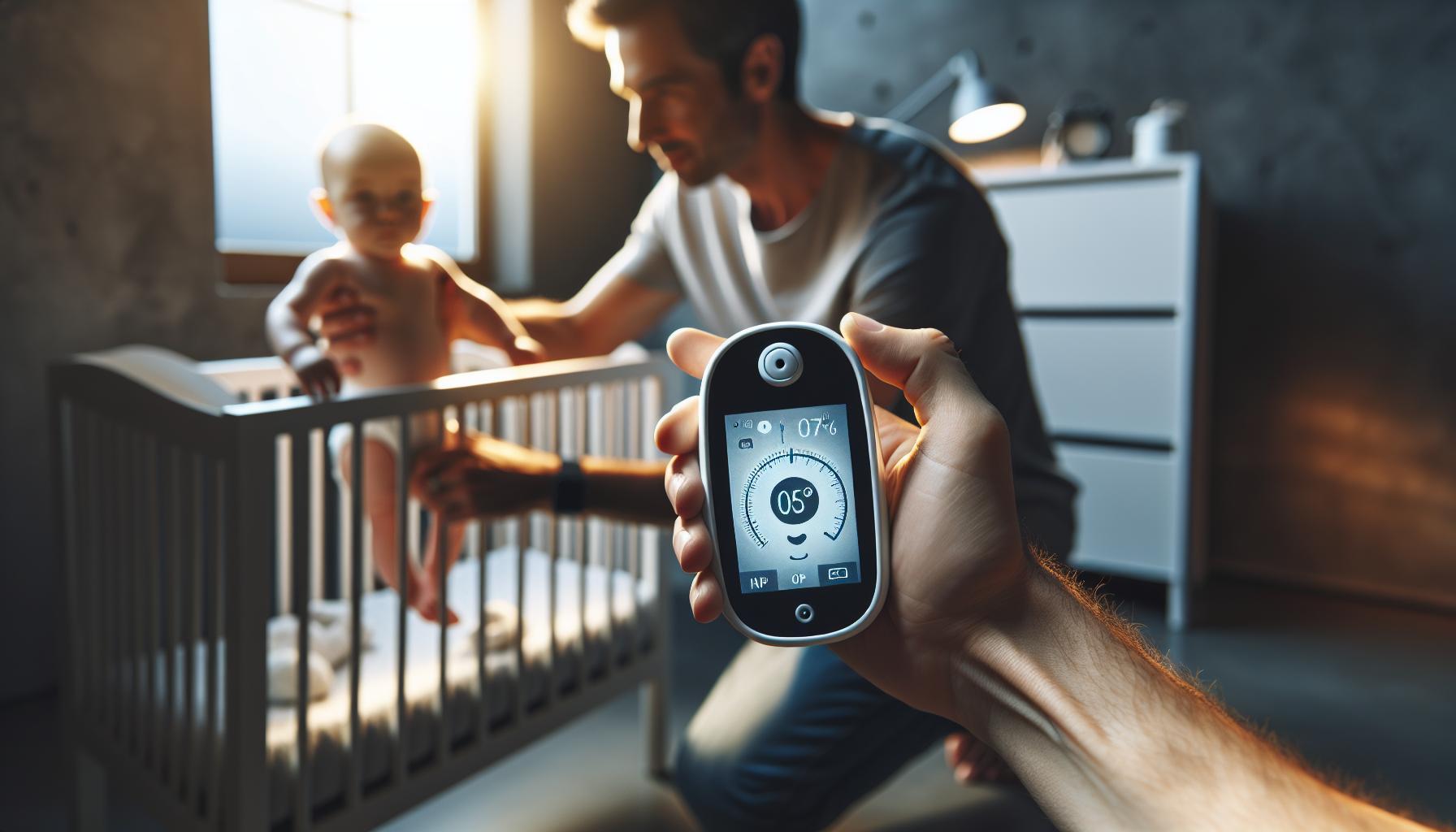
Looking for a reliable way to keep an eye on your little ones and ensure their safety while you’re away? The Arlo Baby 1080p HD monitoring camera offers a perfect blend of innovative features and ease of use, making it a top choice for modern parents. In this review, we’ll explore the standout features and real-world performance of this essential baby monitor.
Understanding the Arlo Baby Camera: Key Features and Benefits
Did you know that the right baby monitoring camera can considerably ease your parenting journey? The Arlo Baby 1080p HD Monitoring Camera by Netgear promises not just peace of mind, but an interactive experience that enhances your connection with your child. Let’s delve into its key features and the benefits that make it a standout choice for modern parents.
High Definition video quality
One of the most remarkable features of the Arlo Baby Camera is its 1080p HD video quality. This crystal-clear resolution allows parents to see every tiny detail,whether it’s a sleeping baby or a playful toddler. The camera also includes a digital zoom capability, letting you focus in without losing image quality. The advantages of this high-definition viewing experience become especially evident during nighttime, thanks to its night vision capabilities, which ensure that you can monitor your child even in low light conditions.
Two-Way Audio and Environmental Sensors
Imagine being able to soothe your infant without being physically present in the room. The Arlo Baby camera provides seamless two-way audio, which enables you to speak to your child directly from your smartphone. This feature not only helps comforting your baby but also allows you to engage with them during playtime or bedtime. Additionally, the camera is equipped with built-in environmental sensors to monitor temperature, humidity, and air quality, which are crucial for the health and comfort of your baby.
Customizable Alerts and Free Cloud Storage
With the Arlo Baby camera, parents can receive customizable alerts that notify them of any movement or sound detected in the baby’s room. You can tailor these notifications to your preference to ensure you are not bombarded with alerts for every little noise, but are still kept informed of meaningful incidents. Further enhancing its value, the camera offers seven days of free cloud storage, allowing you to review recordings of your child’s activities, which can be a sentimental keepsake for years to come.
Interactive Features and Design
The Arlo Baby camera isn’t just functional; it’s designed with interaction in mind. It features a built-in music player that allows you to play lullabies or ambient sounds to help soothe your baby to sleep.Additionally, its whimsical design, available in multiple colors, makes it a charming addition to any nursery. This mix of technology and aesthetics ensures that it not only serves a practical purpose but also fits nicely into your home decor.
| Feature | Description |
|---|---|
| 1080p HD Video | Crystal-clear video quality for monitoring your child. |
| Night Vision | Allows monitoring in low light conditions. |
| two-Way Audio | Communicate with your baby remotely. |
| environmental Sensors | Tracks room conditions like temperature and humidity. |
| Customizable Alerts | Receive notifications based on your preferences. |
| Free Cloud Storage | Access seven days’ worth of recordings. |
| Interactive Features | Play lullabies and other sound to soothe your child. |
Embracing technology in your parenting tools can greatly simplify everyday challenges. The Arlo baby 1080p HD Monitoring Camera by Netgear not only provides security and assurance but also fosters a nurturing environment for you and your child, making it a worthwhile investment for modern families.
How to Set Up Your Arlo Baby Monitor for Effortless Use
Getting Started with Your arlo Baby Monitor
Setting up your Arlo Baby 1080p HD Monitoring Camera can transform your parenting experience by providing peace of mind and effortless connectivity. This advanced device not only allows you to monitor your baby but also features soothing sounds, night vision, and air quality sensors, making it an indispensable tool for modern parents.To get started with your Arlo Baby monitor, follow these simple steps for an optimal setup.
Step-by-step Setup Guide
To ensure a smooth installation process, here’s a detailed guide:
- Unbox and Place: Begin by removing your Arlo Baby monitor from the packaging. Find an optimal location in your baby’s room where the camera can capture a clear view.Ensure it is near a power outlet for easy charging.
- Download the App: Download the Arlo app from the App Store or Google Play store on your smartphone or tablet.
- Create an Account: Open the app and create a new account or log in if you already have one. Follow the prompts to set up your profile.
- Connect to Wi-Fi: Follow the in-app instructions to connect your monitor to your Wi-Fi network. Ensure your Wi-Fi signal is strong in the area where the monitor is placed.
- Sync the Device: Press the sync button on the Arlo Baby monitor and follow the app instructions to complete the pairing process.
Troubleshooting Common Issues
While setting up your arlo Baby monitor is designed to be straightforward, you might encounter issues such as connectivity problems. If your device fails to connect, ensure the following:
- Wi-Fi Strength: Check that your monitor is in a location with strong Wi-Fi signal.
- Restart and Resync: Restart both your monitor and the app; sometimes a quick reboot can resolve connection issues.
- Firmware Updates: Regularly check for updates within the app to ensure your monitor has the latest firmware installed for optimal performance.
By following these steps, you can maximize the functionality of your arlo Baby 1080p HD Monitoring Camera, creating a seamless and reassuring monitoring experience for both you and your little one. Pair this setup with features like audio alerts, temperature monitoring, and two-way interaction to enhance your baby care routine.
Privacy Matters: Ensuring Your Family’s Security with Arlo
When it comes to safeguarding your little ones, every parent knows that peace of mind is priceless. With the Arlo Baby 1080p HD Monitoring Camera by Netgear, you can keep a watchful eye on your family without sacrificing privacy. This innovative surveillance solution integrates cutting-edge technology to ensure that while you are connected to your home, your family’s privacy remains paramount.
Robust Security Features
The Arlo Baby camera goes beyond simple monitoring; it incorporates features designed to protect your family’s privacy:
- End-to-End Encryption: Data transmitted from the camera to your devices is secured with bank-level encryption, ensuring that only you can access your footage.
- Privacy Zone Settings: Customize the areas of your home that you want to monitor while keeping other areas private. This is particularly useful for ensuring personal spaces are not under constant surveillance.
- Two-Way Audio: Communicate directly with your child from any room or even when you are away.this ensures emotional security while enabling you to maintain privacy when necessary.
User Control and Notifications
Maintaining control over your surveillance is a critical aspect of privacy management. The Arlo Baby camera provides you with several options to stay informed and secure:
| Feature | Description |
|---|---|
| Instant Alerts | Receive mobile notifications whenever motion or sound is detected,so you can act quickly and protect your family. |
| Live View Access | Monitor the situation in real-time from your smartphone, tablet, or computer, increasing the feeling of control. |
Encouraging Safe Usage Practices
Effective use of the Arlo Baby camera involves understanding and utilizing its features to enhance both security and privacy. Here are practical tips:
- Regularly Update Software: Ensure your camera’s firmware is up to date to protect against vulnerabilities.
- Choose Strong Passwords: Use complex passwords for your camera and associated accounts to prevent unauthorized access.
- Educate Family Members: Discuss the importance of privacy and the tools available for everyone to take an active role in maintaining security within the home.
By leveraging the safety measures and privacy features of the Arlo Baby 1080p HD Monitoring Camera by netgear, families can create a secure environment that allows for both oversight of children and respect for their privacy. with the right approach, keeping your family safe doesn’t have to compromise their personal space.

Real-Time Monitoring: Exploring the HD Video Quality and Alerts
Unmatched Clarity for Every Moment
When it comes to monitoring the precious moments of your little one,clarity is paramount. The Arlo Baby 1080p HD Monitoring Camera by Netgear excels in delivering stunning video quality that ensures you won’t miss a single detail.With its high-definition video capabilities, parents can stream crisp, clear images directly to their smartphones or tablets, providing peace of mind no matter where they are.the camera’s wide-angle lens enhances the coverage area, making it ideal for larger rooms, while the ability to zoom in on specific areas allows for closer inspection.
Intelligent Alerts Keep You Informed
Not only does the Arlo Baby camera provide exceptional video quality, but it also features intelligent alerts that keep you updated on your baby’s activities in real time. This functionality allows parents to receive notifications for various events, such as motion or sound detection. The camera can differentiate between significant sounds (like crying) and background noise, significantly reducing false alarms. This means you’ll only be alerted when it truly matters,allowing you to respond quickly whether you’re at home or away.
- Motion Alerts: Instantly know when your baby moves or if someone else enters the room.
- Sound Detection: Get notified if your baby is crying or if there are other unusual sounds.
- activity Zones: Customize the areas you want to monitor to reduce unneeded alerts.
Setting Up the Camera for Optimal Performance
To get the most out of your Arlo Baby 1080p HD Monitoring Camera, positioning is key. Here are some practical steps to ensure optimum video quality and alert functionality:
| Step | Action |
|---|---|
| 1 | Choose a location with a clear line of sight to your baby. |
| 2 | Ensure the camera is connected to a stable Wi-Fi network for seamless streaming. |
| 3 | Set up activity zones in the app to focus on areas of interest. |
| 4 | Tweak the sound sensitivity settings to fit your baby’s needs. |
By following these steps, you can maximize the effectiveness of your Arlo Baby camera’s real-time monitoring features, ensuring that you always stay connected to what’s happening with your little one.
Night Vision and Smart Features: Keeping an Eye on Your Little One
The ability to see clearly, even in the darkest of rooms, is a game changer for parents wanting to keep tabs on their little ones. With the Arlo Baby 1080p HD Monitoring Camera by Netgear, parents can enjoy peace of mind with advanced night vision and smart features designed for optimal monitoring.
crystal Clear night Vision
One of the standout features of the Arlo Baby camera is its superior night vision technology. Offering up to 850nm infrared LED lighting, this camera captures clear, detailed images in complete darkness. This is especially important for parents who want to monitor their baby’s sleep patterns without disturbing them.The high-resolution 1080p HD video, coupled with night vision, ensures that you won’t miss a wink of your child’s sleep, even when the lights are off.
Smart Alerts and two-Way Communication
In today’s fast-paced world,staying connected is essential. The Arlo Baby camera is equipped with smart features that allow for real-time monitoring and interaction. Parents can receive immediate alerts when motion or sound is detected,ensuring you’re alerted to your child’s needs without having to be in the same room.
Additionally, the two-way audio functionality means that you can soothe your little one from another room. You might be cooking in the kitchen or catching up on work, but with the push of a button, you can talk to your baby, offering comfort and closeness, no matter the distance.
Customizable Features for Tailored Monitoring
To maximize the effectiveness of your monitoring experience, the Arlo Baby camera allows customization of various features. You can set specific zones for motion detection to avoid false alarms caused by pets or other household movements. Moreover, you can tailor the camera’s settings for sound detection, ensuring you are only alerted to the sounds that matter.
| Feature | Description |
|---|---|
| Night vision | 850nm infrared LED provides clear nighttime visibility. |
| Smart Alerts | Real-time notifications for motion and sound detection. |
| Two-Way Audio | Communicate with your baby from anywhere. |
| Customizable Zones | Set specific areas for monitoring to reduce false alarms. |
in a world where safety and connectivity are paramount, the features of the Arlo Baby 1080p HD monitoring Camera by Netgear stand out. With the ability to monitor your child both day and night, coupled with interactive capabilities, parents can feel more in control and connected, ensuring that their little ones are always safe and sound.
Integrating the Arlo Baby Camera with Smart Home Devices
The Arlo Baby 1080p HD Monitoring Camera by Netgear is not just a stand-alone device; it effortlessly integrates with various smart home systems to create a seamless monitoring experience. By leveraging its capabilities alongside compatible smart devices, users can enhance the functionality of their home security and parenting solutions.
Maximizing Functionality Through Integration
One of the standout features of the Arlo Baby camera is its compatibility with major smart home ecosystems, allowing it to function as a central hub in your digital nursery. Here’s how you can enhance your camera’s capabilities through integration with smart home devices:
- Smart lights: Pair the Arlo Baby with motion-sensitive smart lights to illuminate the room automatically when movement is detected. This not only provides safety during the night but also prevents unexpected alarm triggers.
- Smart Speakers: Use voice commands through your smart speaker to access camera feeds or adjust settings. For example, you can ask, “Show me the baby room” to pull up the live feed on your connected smart display.
- Smart Thermostats: Set a comfortable environment by integrating your baby monitor with a smart thermostat, ensuring the nursery maintains an ideal temperature for your little one.
- Home Security Systems: Connect your Arlo Baby camera with other Arlo security devices or third-party systems to create alerts and notifications for unusual activities around your home.
Setting Up Your Smart Home Integration
To begin integrating the Arlo Baby 1080p HD Monitoring Camera into your smart home system, follow these practical steps:
- Download the Arlo App: Start by downloading the Arlo app on your smartphone. this app not only lets you control the Arlo Baby camera but also facilitates integration with other devices.
- Choose Compatible Devices: Identify which smart devices (lights, speakers, thermostats, etc.) you want to pair with your Arlo camera.
- Link Accounts: For devices like Amazon Alexa or Google Assistant, link their respective accounts through the Arlo app to enable voice commands.
- Create Routines: set up automation routines. For instance, you can create a bedtime routine that dims the lights, plays lullabies through your smart speaker, and activates your Arlo Baby camera’s monitoring mode simultaneously.
Table of Compatible Smart Devices
| Device Type | Compatible Brands | Integration Feature |
|---|---|---|
| Smart Lights | Philips Hue, LIFX | Motion activation |
| Smart Speakers | Amazon Echo, Google Nest | Voice Commands |
| Smart Thermostats | Nest, Ecobee | Temperature Control |
| Security Systems | Arlo, Ring | Alert Synchronization |
By integrating the Arlo Baby camera with your existing smart home devices, you not only expand its functionality but also significantly enhance your peace of mind and control over your home environment. Whether you’re tracking your baby’s movements,ensuring a comfortable nursery,or keeping an eye on the overall security of your property,this synergy can transform how you monitor and connect with your home and family.
Addressing Common concerns: What Parents Should Know
The leap into technologically advanced baby monitoring can be both exciting and daunting for parents. As you consider investing in the Arlo Baby 1080p HD Monitoring camera by Netgear, several common concerns may arise regarding security, usability, and overall effectiveness. Addressing these concerns is essential to ensuring peace of mind during caregiving.
Security and Privacy
One of the foremost worries for parents revolves around data security. With any baby monitor that connects to the internet, there are potential risks of unauthorized access. The Arlo Baby camera has taken significant steps to safeguard the privacy of its users. Here are some key features addressing these concerns:
- Secure Encryption: All video feeds are encrypted, making it challenging for hackers to intercept any data.
- Two-Factor Authentication: This adds an extra layer of security, ensuring that only authorized users can access the camera.
- User Control: Parents have the option to easily change passwords and manage account settings, providing direct control over who can view the camera feed.
Ease of Use
Parents frequently enough express concerns about the complexity of setting up and using a baby monitor. Fortunately,the Arlo Baby 1080p HD Monitoring Camera stands out due to its intuitive design. It features straightforward installation processes, allowing users to get started promptly without extensive technical know-how. Here’s what makes it user-kind:
- Mobile App Integration: The accompanying app is designed for ease of use, providing functionalities like live streaming, recorded playback, and motion alerts right at your fingertips.
- Voice Commands: Parents can activate certain features using simple voice commands, enhancing accessibility during those busy parenting moments.
Monitoring Features
When it comes to ensuring your child’s well-being, the capabilities of your monitoring device are paramount. The Arlo Baby camera excels in this area, boasting features that give parents complete insight into their child’s activities.
| Feature | Description |
|---|---|
| 1080p HD Video | Crystal-clear video quality allows you to see every detail. |
| night Vision | Infrared night vision ensures visibility even in low light. |
| Two-Way Audio | Communicate with your baby through the built-in microphone and speaker. |
| Motion Alerts | Receive instant notifications if movement is detected. |
the Arlo Baby 1080p HD Monitoring Camera by Netgear not only addresses security and ease of use, but it also enhances your capability to monitor your child effectively. Whether through advanced safety features, user-friendly controls, or vigilant monitoring capabilities, this camera can significantly enrich your parenting experience.
Practical Tips for Getting the Most out of Your Arlo baby Monitor
Maximizing Your Experience with the Arlo Baby Monitor
To truly benefit from the Arlo Baby 1080p HD Monitoring Camera by Netgear, it’s essential to understand its features and how to integrate them into your daily parenting tasks. One of its standout features is the high-definition video quality. Ensure that you position the camera optimally in your nursery to capture a wide view of the crib. A corner placement often works best, allowing the camera to cover multiple angles. Don’t forget to adjust the camera’s angle for nighttime monitoring; the infrared night vision can make a significant difference in visibility during those late-night checks.
utilize the two-Way Audio Feature
The ability to communicate through the monitor is invaluable. Use the two-way audio to soothe your baby from another room.This feature can help settle your little one with your voice without having to physically be there. A great tip is to practice your calming phrases,keeping your tone gentle and reassuring. This can create a comforting experience for your baby and let them know you are always nearby.
Integrating Smart features
Leverage the smart features that come with the Arlo Baby Monitor. The app allows for setting alerts based on specific movements or sounds. Customize these alerts to avoid unnecessary disturbances; for example, you can set the sensitivity level to ensure you only receive notifications when your baby really needs attention. Additionally, utilizing the lullaby player can ease your baby to sleep; pre-select soothing tunes that have worked well in the past.
Optimize Battery Life
Maintaining battery life is crucial for uninterrupted monitoring. The Arlo Baby Monitor offers a rechargeable battery, so keep it charged when not in use or during quiet times when your baby isn’t sleeping. for enhanced convenience, invest in a charging station that allows you to quickly replace the monitor’s battery when needed.Always check battery levels in the app to ensure you’re never caught off guard.
| Tip | Benefit |
|---|---|
| Position camera in a corner | Wider view coverage |
| Use two-way audio for comfort | Soothe baby without being present |
| Set customized alerts | Avoid unnecessary disturbances |
| utilize lullabies | Help baby fall asleep peacefully |
| Maintain battery levels | Ensure continuous monitoring |
By applying these practical tips, you can make the most of your Arlo Baby 1080p HD Monitoring Camera by Netgear, ensuring a seamless monitoring experience that enhances both your peace of mind and your baby’s comfort.
Q&A
What is the Arlo Baby 1080p HD Monitoring Camera by Netgear?
The Arlo Baby 1080p HD Monitoring Camera by netgear is a smart baby monitor that delivers high-definition video streaming, allowing parents to keep an eye on their little ones remotely. It offers advanced features like night vision, two-way audio, and motion alerts for enhanced monitoring.
This camera provides a powerful way to ensure your baby’s safety while giving parents peace of mind. The camera can connect to your smartphone via the Arlo app, allowing you to view live video feeds and receive notifications when it detects movement or sound. Check out more on this product’s features here.
how does the Arlo Baby 1080p HD Monitoring Camera enhance baby safety?
The camera enhances baby safety by providing real-time monitoring and alerts through your smartphone, ensuring you never miss a moment. Its features, like motion sensitivity and two-way audio, allow you to react promptly to your baby’s needs.
The built-in night vision enables clear visibility even in low light conditions,while the customizable alerts ensure you stay informed about any activity. This combination helps create a safe space for your baby and offers reassurance to parents, especially during the night.
Can I install the Arlo Baby 1080p HD Monitoring Camera easily?
Yes, installing the Arlo Baby 1080p HD Monitoring Camera is straightforward. You can set it up in minutes by connecting it to your Wi-Fi network through the Arlo app, allowing for a seamless configuration experience.
Once set up, the camera can be placed on a flat surface or mounted on a wall. This versatility allows you to choose a position that offers the best view of your nursery. Don’t forget to regularly check for firmware updates to keep the camera functioning optimally.
Why does the Arlo Baby 1080p HD Monitoring Camera use cloud storage?
The Arlo Baby 1080p HD Monitoring Camera uses cloud storage to securely save recorded footage, allowing you to access it anytime. This feature is crucial for reviewing events you may have missed while away from home.
With cloud storage, your data is protected against loss, and you can easily share moments with family or caregivers.It offers different subscription plans for varying storage needs, ensuring you can find an option that best suits your family’s lifestyle.
What sets the Arlo Baby Monitoring Camera apart from other baby monitors?
The Arlo Baby 1080p HD Monitoring Camera stands out due to its smart technology integration, which includes features like facial recognition and air quality monitoring. This makes it more than just a baby monitor; it’s a comprehensive parenting tool.
Additionally, the camera supports a wide range of connectivity options, allowing for seamless integration with other smart home devices. Its user-friendly app provides a centralized platform for managing all features,making parenting a little easier amidst the chaos.
Can I use the Arlo Baby Monitoring Camera for pets as well?
Absolutely! The Arlo Baby 1080p HD Monitoring Camera is versatile and can be used to monitor pets, particularly when your furry friends are left alone at home. Its motion detection and two-way audio make it perfect for keeping an eye on their activities.
This dual functionality allows you to ensure your pets are safe and comfortable while you are away. Whether it is a baby or a pet,knowing you can check in at any time brings peace of mind.
why does the Arlo Baby 1080p HD Monitoring Camera prioritize privacy?
The privacy of users is a top priority for Netgear when developing the Arlo Baby 1080p HD Monitoring Camera. This is evident in features like encrypted data transmission, ensuring your footage is safe from unauthorized access.
Users can customize privacy settings, enabling or disabling the camera as needed. These security measures help parents feel more confident in their ability to monitor their home without compromising their family’s privacy or safety.
In Summary
the Arlo Baby 1080p HD Monitoring Camera by Netgear stands out as an excellent choice for parents seeking a reliable and feature-rich baby monitor. With its high-definition video,two-way audio,and secure cloud storage,you can keep a watchful eye on your little one even when you’re not in the same room. Remember to take the time to set up the monitor correctly for the best performance,ensuring your peace of mind when it comes to privacy and security.As you navigate this critically important decision, consider your family’s specific needs. Explore the different features, weigh the pros and cons, and trust your instincts as a parent.If you have further questions or want to share your experiences with baby monitors, we invite you to engage with us and other parents in the comments below. Your insights and queries can spark valuable discussions that help everyone in our community make informed choices. Happy parenting!