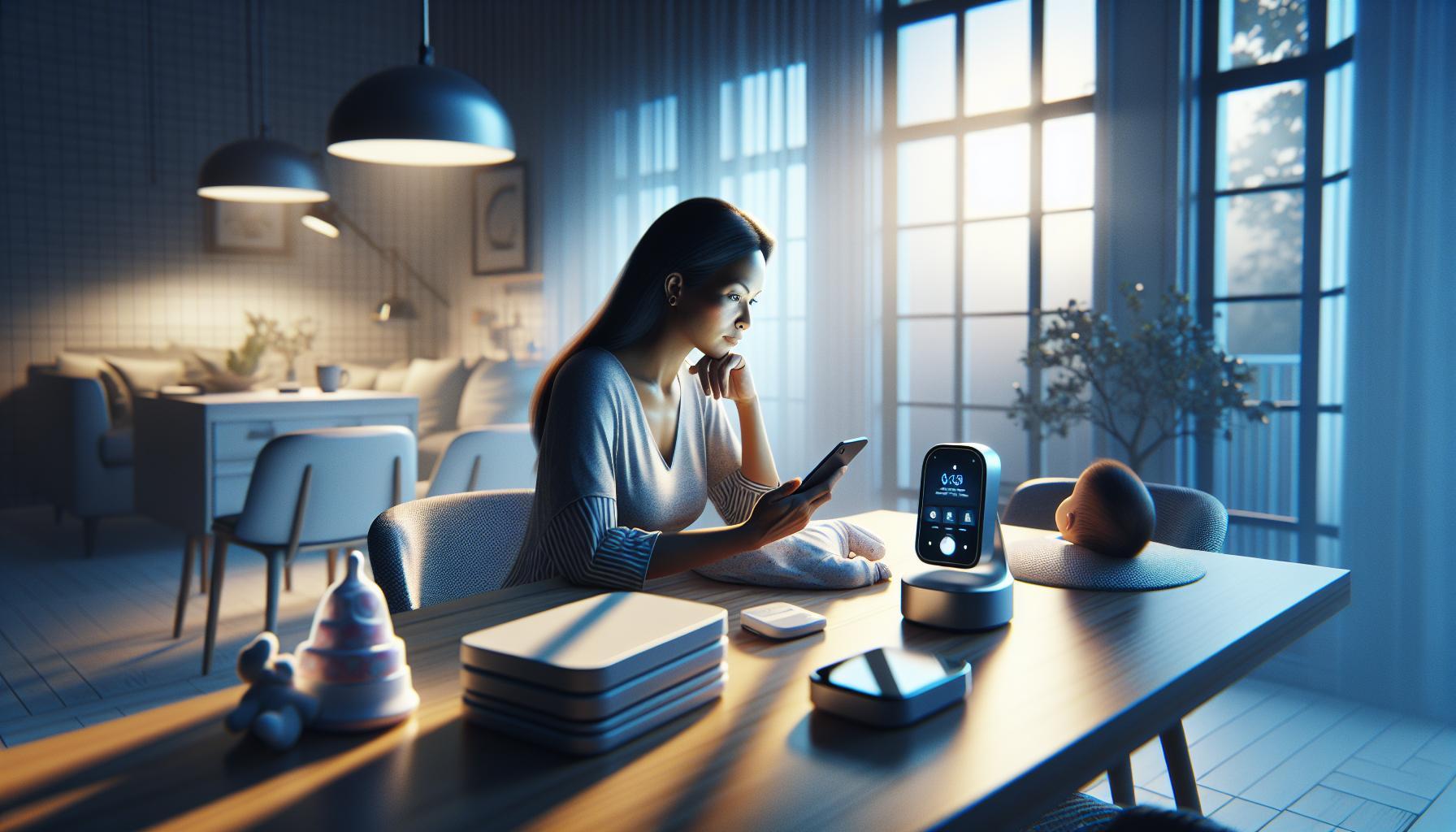
In a world where technology enhances parenting, many smart parents wonder about the possibility of connecting baby monitors to their smartphones for added convenience and peace of mind. This modern approach not only offers accessibility but also allows real-time monitoring of your little one, ensuring you stay connected even while on the go. Discover how to set up this seamless integration for a smarter parenting experience.
Understanding the Basics: How Baby Monitors Work with Your Phone
In today’s fast-paced world, the ability to stay connected with your baby while being in another room has never been more critical. Modern baby monitors can seamlessly integrate with your smartphone, allowing parents to keep a vigilant eye on their little ones from anywhere in the house—or even remotely. This connectivity shifts the role of conventional monitors, transforming smartphones into powerful monitoring tools.
Many of these monitors utilize WiFi to transmit audio and video feeds directly to your device. This means that as long as you have a stable internet connection,you can view live video or receive alerts via a dedicated app. Popular options like the Baby Monitor 3G app allow parents to utilize both iOS and Android devices for monitoring, offering versatility in device choice and enhanced functionality by sending live snapshots and video feeds right to your phone, ensuring you never miss a moment [1].
For those considering the investment in a dedicated baby monitor that syncs with smartphones, various models excel in this hybrid functionality. The Motorola PIP1510 Connect baby monitor, as an example, connects to the Motorola Nursery app, enabling parents to check on their children remotely as long as they have internet access [3]. This app-based approach not only enhances accessibility but also incorporates features like temperature monitoring,motion alerts,and two-way audio,making it easier to interact with your baby even from a distance.
When choosing a baby monitor compatible with smartphones, consider features such as:
- Video Quality: Look for high-definition video to ensure clear images.
- Range: Check the monitor’s range to avoid connectivity issues.
- Battery Life: Ensure it has a reliable battery or power options for uninterrupted monitoring.
- Additional Features: Look for compatibility with smart home devices or integration with other parenting apps.
Equipped with the right tools, parents can enjoy peace of mind, knowing that they can easily check in anytime, anywhere. Whether you’re in the next room or out running errands, the connection between baby monitors and smartphones allows for effortless monitoring, making parenting just a bit easier in our busy lives.
Choosing the Right Baby Monitor for Mobile Connectivity
Understanding Mobile Connectivity in Baby Monitors
in today’s fast-paced world, the quest for security and convenience in monitoring your baby is driving many parents toward advanced baby monitors. With mobile connectivity, you can easily access real-time updates right from your smartphone, giving you peace of mind wherever you are in your home. As you explore the options available, recognizing the key features that enhance mobile connectivity will be paramount in ensuring you choose the right device for your needs.
When evaluating baby monitors for mobile connectivity,consider features such as compatibility with smartphones,video quality,and additional functionalities that cater to modern parenting demands. Look for monitors that connect effortlessly to your mobile device via Wi-Fi or Bluetooth, enabling you to track your baby’s movements and monitor nursery sounds directly from an app.This convenience means you’re not tethered to a traditional monitor and can even receive alerts if your baby cries or if there’s unusual activity in their environment.
Here’s a quick checklist to guide your selection process:
- Compatibility: Ensure the monitor app is available on both Android and iOS devices.
- Video Quality: Opt for high-definition video and night vision features.
- Range: Consider the range of the monitor—some operate effectively across the house, while others may be limited.
- Battery Life: Check battery life if the monitor is portable or battery-operated.
- Security Features: Look for encryption features to keep your feed secure.
Comparing Popular Baby Monitors for Mobile Connectivity
To aid your decision-making, here is a comparative overview of some popular baby monitors that are known for robust mobile connectivity:
| Monitor Model | Mobile App Compatibility | Video Quality | Night Vision | Range |
|---|---|---|---|---|
| safety 1st 360 Smart Monitor | iOS, Android | 1080p HD | Yes | Up to 300 feet |
| Motorola MBP85CONNECT | iOS, Android | 720p HD | Yes | Up to 1000 feet |
| Nanit Plus Smart Baby Monitor | iOS, Android | HD | Yes | Wi-Fi based |
Selecting the right baby monitor can considerably enhance your experience as a parent, especially when you’re pondering, “Can I connect baby monitors to my phone?” By understanding your options and making informed choices, you can enjoy the ultimate convenience of mobile connectivity, ensuring you are always connected to your little one, whether you are in the nursery or just a room away.
Step-by-Step Guide to Connecting Your Baby Monitor to Your Smartphone
connecting your baby monitor to your smartphone creates an unparalleled level of convenience and peace of mind for parents. by using your smartphone as a real-time window into your baby’s world, you can monitor their activities from virtually anywhere.Here’s a straightforward guide to help you establish this connection seamlessly.
Step 1: Prepare Your Devices
Before initiating the connection, ensure that both your baby monitor and smartphone are ready. Check that your baby monitor is powered on and connected to a stable Wi-Fi network if it’s a smart monitor. download the respective app associated with your monitor’s brand, which is typically available on the Apple App Store or Google Play Store.
Step 2: Connect Your Smartphone to the Baby Monitor
Once the app is installed,follow these steps:
- Open the app and create an account if prompted.
- Follow the in-app instructions to locate and pair your baby monitor. this frequently enough involves selecting the monitor from a list of available devices.
- Input any requested information, such as your Wi-Fi credentials, to facilitate the connection. Some monitors may require you to scan a QR code displayed on the monitor screen.
Step 3: Setting Up Features
After successfully linking your smartphone to the monitor, explore the app’s features. Many apps offer:
- Live Video and Audio: Watch your baby in real-time and listen to sounds from their nursery.
- Two-Way Dialog: Use the intercom feature to soothe your baby from another room.
- Alerts and notifications: Set up alerts for sound or motion detection to stay notified of any activity.
Step 4: Test the Connection
To ensure everything works perfectly, conduct a test. Leave your baby in the nursery while you go to another room.Check the app to make sure you can see and hear your baby clearly. Adjust camera angles or audio settings as needed for the best experience.
With this guide, you’ll find that the question “Can I Connect Baby Monitors to My Phone?” has a clear and straightforward answer. Embrace the modern approach to parenting with the help of technology and enjoy the ease of monitoring your little one right from the palm of your hand!
Ensuring Security and Privacy with Your Mobile Baby Monitor
Ensuring Safety in Digital Parenting
In the age of smart technology, the convenience of connecting a baby monitor to your phone offers a new level of accessibility, but it also raises important security concerns. With risks posed by potential hackers exploiting vulnerabilities in WiFi connections, safeguarding your mobile baby monitor is crucial. Many modern monitors can send audio and video feeds directly to your smartphone, enriching your parenting experience, yet this connectivity can expose your family to privacy breaches if not properly secured.
To enhance the security of your mobile baby monitor, consider following these actionable steps:
- Choose Secure Models: Invest in monitors that offer end-to-end encryption.This ensures that your data is encrypted throughout it’s journey from the monitor to your phone, significantly reducing the risk of interception[[[1](https://staysafe.org/family-safety/baby-monitor-safety)].
- Regularly Update Firmware: Check for automatic firmware updates as many manufacturers provide updates that patch security vulnerabilities. Keeping your device updated is one of the simplest yet most effective security measures.
- Change Default Passwords: Many baby monitors come with preset passwords that are widely known. Change these to unique passwords that follow robust security practices to prevent unauthorized access[[[3](https://www.pandasecurity.com/en/mediacenter/baby-monitor-security/)].
- Secure your Home WiFi: Ensure your home router uses the latest security protocols, such as WPA3, and regularly change your WiFi password. This step is crucial as the monitor relies on your home network to function [[2](https://www.mdpi.com/2624-800X/3/3/16)].
Monitoring Your Privacy
While technology enhances our parenting capabilities, it is indeed vital to remain vigilant about privacy implications. To assess the privacy policies of your baby monitor’s app, consider checking for data collection practices and how that information is used. Some models might collect unnecessary personal data, which can lead to privacy breaches if mishandled. Understanding these policies can help you make informed decisions about the devices you use.integrate practices to monitor your device. Regularly check the app and settings on your phone; ensure that only the necessary permissions for your baby monitor app are enabled.Limit its access to other parts of your personal data as much as possible. By taking these precautions,you not only enhance the security of your connected baby monitor but also safeguard your family’s privacy in a digital landscape.
Troubleshooting Common connection Issues with Baby monitors
Ensuring that your baby monitor maintains a reliable connection can be a lifeline for new parents. However, even the most advanced devices can run into issues that disrupt this connection. One prevalent concern arises from interference caused by other electronic devices. As an example, Wi-Fi routers, microwaves, and even cordless phones can cause static or disrupted signals. If you’re wondering,”Can I connect baby monitors to my phone?” the answer frequently enough hinges on ensuring a stable wireless environment.
When experiencing connection issues, here are some steps to follow:
- Check Wi-Fi Strength: Ensure your Wi-Fi signal is strong in the area where you plan to use the baby monitor. If your monitor connects via an app on your phone, a weak signal can hinder functionality.
- Reboot Devices: sometimes, a simple reboot of both the baby monitor and the connected smartphone can resolve connection hiccups. This refreshes the system and often leads to better connectivity.
- Update Firmware: Regularly check for software or firmware updates for both the baby monitor and your smartphone app. Manufacturers often release updates to fix bugs and improve performance.
- Minimize Interference: Keep your baby monitor away from other electronic devices that might interfere with the signal. Likewise, avoiding obstacles like walls between the monitor and your device can enhance connection clarity.
In the case of persistent issues, reviewing the manufacturer’s troubleshooting guide is essential. As an example,the Motorola baby monitor troubleshooting guide outlines several solutions for common problems like pairing issues or units not turning on,which are crucial to ensuring uninterrupted monitoring[[[1]](https://electrofixs.com/motorola-baby-monitor-troubleshooting/). Additionally, understanding how to properly set up and pair your monitor is vital; consult user manuals or reputable online resources to ensure you’re following the right procedures[[[3]](https://www.monitormybaby.net/baby-monitor-user-guide-setting-up-pairing-and-troubleshooting-tips/).
By addressing these potential problems proactively, you can ensure that the answer to “Can I connect baby monitors to my phone?” remains a resounding yes, allowing you to maintain peace of mind and security for your family.
Exploring the Features of Smart Baby Monitors for Enhanced Parenting
Features that Transform Parenting with Smart Baby Monitors
In today’s tech-savvy world, smart baby monitors are revolutionizing how parents connect with and care for their infants. These devices not only provide peace of mind but also harness technology to create a safer and more informed parenting experience. With the ability to connect to your smartphone, parents can effortlessly keep an eye on their little ones no matter where they are in the house, or even when they are out. But what specific features make these monitors a must-have for modern parents?
- Real-Time Video and Audio Monitoring: Smart baby monitors offer crystal-clear video feeds and audio capture, allowing parents to see and hear their baby’s every move. This feature provides reassurance, especially for frist-time parents concerned about their infant’s well-being even as they sleep.
- Two-Way Communication: Many models come equipped with a two-way audio feature, enabling parents to comfort their baby from another room. This functionality allows you to soothe your baby’s cries simply by speaking through your smartphone.
- Temperature and Humidity Sensors: Keeping track of your baby’s environment is crucial. Smart monitors often include sensors that notify you if the nursery is too hot or cold, helping ensure your little one is comfortable.
- Customized Alerts: Parents can set up specific alerts for various sounds, movements, or even specific times, giving them the freedom to focus on other tasks while staying connected to their baby’s needs.
Integrating Smart Monitors into Daily life
To fully leverage the benefits of smart baby monitors, it’s essential to seamlessly integrate them into your daily routine. By downloading the associated app, parents can access live feeds, review recordings, and receive alerts right on their smartphones. This functionality transforms everyday parenting tasks into more manageable bites of responsibility, allowing for a more relaxed household atmosphere. As an example, while cooking or tending to household chores, parents can monitor their baby’s activity with just a glance at their phone.
Furthermore, advanced monitors can sync with other smart home devices. Imagine dimming the nursery lights or playing soothing music from your phone, all from the same app used to monitor your baby. This level of connectivity not only simplifies parenting but also enriches the entire experience,making it more enjoyable while enhancing the baby’s comfort and security.as you explore the possibilities of smart baby monitors, consider how they can transform your parenting approach.The question, “Can I connect baby monitors to my phone?” is not merely about convenience; it also speaks to the innovative features designed to enhance the safety and well-being of your child. Embracing these technologies can lead to a more harmonious family environment, blending technology seamlessly into parenting practices.
Tips for Maintaining Your Baby Monitor’s Performance
Ensuring Your Baby Monitor Stays Reliable
When it comes to connecting baby monitors to your phone, performance is paramount. A well-functioning monitor not only gives you peace of mind but also helps you keep an eye on your little one’s safety efficiently. Here are some essential , ensuring it remains a reliable tool in your parenting toolkit.
- Regular Updates: Just like your smartphone, baby monitors—especially smart ones—require regular firmware updates. Check the manufacturer’s website or your monitoring app periodically for the latest updates,which frequently enough include performance enhancements and security patches.
- Optimal Placement: Positioning the baby monitor camera correctly can significantly affect its performance. Ideally, place the monitor at a height where it can clearly see your baby without obstructions. Avoid putting it near electronic devices, as interference can lead to poor video or audio quality.
- Battery Management: If your baby monitor is battery-operated, ensure you replace batteries regularly or keep it charged. Using a monitor with low battery can lead to unexpected shutdowns or connectivity issues, which can happen at the worst possible moments.
- Clean the Equipment: Dust and debris can affect the performance of your monitor. Regularly wipe the camera lens and clean the device body to maintain clear audio and video. A clean device will ensure optimal performance,making your connection to your baby clearer when using your phone to monitor them.
Enhancing Connectivity
Another critical aspect of maintaining your baby monitor’s performance is enhancing its connectivity. If you’re utilizing smart technology to connect baby monitors to your phone, consider the following strategies:
- Wi-Fi Strength: Ensure that your monitor has a strong Wi-Fi connection. If you’re experiencing connectivity issues, consider moving your router closer or using a Wi-Fi extender to strengthen the signal.
- Review App Permissions: Verify that the app associated with your baby monitor has all the necessary permissions enabled on your phone. This might include access to notifications, camera, and microphone, which are essential for optimal functioning.
- Monitor Traffic: Too many devices connected to the same network can slow down your monitor’s performance. Regularly review your connected devices and disconnect those that aren’t in use.
By following these actionable tips, you can ensure that your baby monitor remains in top condition, providing you with the reassurance and safety that you and your baby deserve. Prioritize maintaining performance regularly to enjoy all the benefits of your smart parenting tools, including easy setup and seamless connectivity to your phone.
Real-Life Experiences: Parents Share Their Mobile monitor Setup Journeys
Many parents find themselves asking, “Can I connect baby monitors to my phone?”—a question that leads to transformative experiences in monitoring their little ones. The journey to setting up a mobile monitor often involves a mix of excitement and apprehension, driven by the desire for both convenience and peace of mind.
One parent shared how their transition to a mobile monitor was seamless,adopting an app that transformed their spare tablet into a reliable baby monitor. after setting it up on the same Wi-Fi network, they were amazed at how easy it was to check in on their sleeping baby from anywhere in the house.The couple found features like two-way audio particularly valuable, allowing them to soothe their baby with their voice without needing to enter the nursery. This highlighted a common theme among users: the emotional relief of being able to connect with their child even when they are out of sight.
Other parents emphasized the importance of security in their baby monitor choices. A mother noted her preference for devices equipped with FHSS technology, which mitigated her worries about eavesdropping when connected online. Such devices allow parents to enjoy the convenience of mobile monitoring while ensuring their family’s privacy. Setting up these systems often involved simple steps such as connecting the monitor to their smartphone via an app,and in many instances,it took less than five minutes to get everything up and running.
here are some key steps noted by parents who successfully integrated mobile monitoring into their routines:
- Ensure Wi-Fi Connectivity: Check that your smartphone and the monitor are on the same Wi-Fi network.
- Choose the Right App: Select a reliable baby monitor app that suits your preferences and test its features.
- Security First: Opt for monitors with security features like FHSS technology to keep your baby safe from digital threats.
- Test Before Use: Conduct a run-through to adjust settings and ensure clear audio and video feeds before relying on it during the night.
With a range of options available and a community of parents willing to share their experiences, setting up a mobile baby monitor can be a straightforward process that enhances monitoring safety and convenience. Embracing technology in this manner, many parents find themselves relieved and more connected to their little ones.
Q&A
Can I Connect Baby Monitors to My Phone? Easy Setup for Smart Parents?
Yes, you can connect baby monitors to your phone using various apps designed for this purpose. These apps allow you to stream video and audio from the baby monitor directly to your smartphone,ensuring you can monitor your baby from anywhere.
To get started, you’ll need to download a compatible app such as Annie Baby Monitor or Cloud Baby Monitor.After installing, set up the baby monitor as the streaming device and connect your smartphone as the viewing device. This easy setup gives you peace of mind while ensuring you stay connected with your little one.
What is a baby monitor app?
A baby monitor app is a mobile application that transforms your smartphone or tablet into a baby monitoring system. These apps typically allow for video and audio monitoring through your device’s camera and microphone.
Using a baby monitor app can be convenient, as you may already have an unused device available for setup. Many apps also offer features like motion detection and sound alerts, making them a practical choice for modern parents.
How do I set up a baby monitor with my phone?
To set up a baby monitor with your phone, first download a baby monitor app on both devices. Next, place one phone in the nursery as the camera and use the other phone for monitoring.
Pair the devices by scanning a QR code or entering a code provided by the app, and ensure both devices are connected to the same Wi-fi network. This setup allows you to keep an eye on your baby wherever you are in your home.
Can I use an old phone as a baby monitor?
Absolutely! You can repurpose an old phone as a baby monitor by installing a dedicated app. Many apps are designed to work with older devices,making it simple to breathe new life into them.
Such as,with apps like Dormi or Baby Monitor 3G,you can utilize the existing camera and microphone features of your old phone to monitor your baby effectively. This method is cost-effective and enduring.
What features should I look for in a baby monitor app?
When choosing a baby monitor app, consider features such as video quality, sound quality, and additional functions like lullabies or night vision. These features enhance your monitoring experience and provide greater peace of mind.
Additionally, look for apps that allow for secure connections and easy setup processes. Many apps, like those mentioned earlier, offer intuitive interfaces that make monitoring your baby straightforward and efficient.
Are there security concerns with using a baby monitor app?
Yes, security is an important consideration when using a baby monitor app. Ensure that the app you choose uses encryption to protect the video and audio feed from unauthorized access.
Research the app’s privacy policies to understand how your data will be used and stored. Opt for reputable apps with good reviews to mitigate these concerns and keep your baby safe while you monitor.
Can I use my phone’s data plan for baby monitoring?
Using your phone’s data plan for baby monitoring is possible, but it’s generally recommended to use Wi-Fi. This helps avoid excessive data charges and provides a more stable connection.
However, if you’re away from home or do not have Wi-Fi available, you can still use your cellular data to monitor your baby. Just be mindful of your data limits to avoid any unexpected costs.
The Conclusion
connecting your baby monitor to your smartphone is a practical step for modern parents,offering convenience and peace of mind. By utilizing user-kind apps like Annie Baby Monitor, Cloud Baby Monitor, and others, you can easily oversee your baby from virtually anywhere, provided you have a reliable internet connection. Always prioritize security features, such as FHSS technology, to protect your family’s privacy while using smart devices. As you explore the world of baby monitors, remember that finding the right solution can enhance your parenting experience, allowing you to stay connected to your little one while maintaining a sense of security. For more insights and tips on maximizing your baby monitoring setup, feel free to dive deeper into our other resources. Your journey to better baby monitoring starts here!