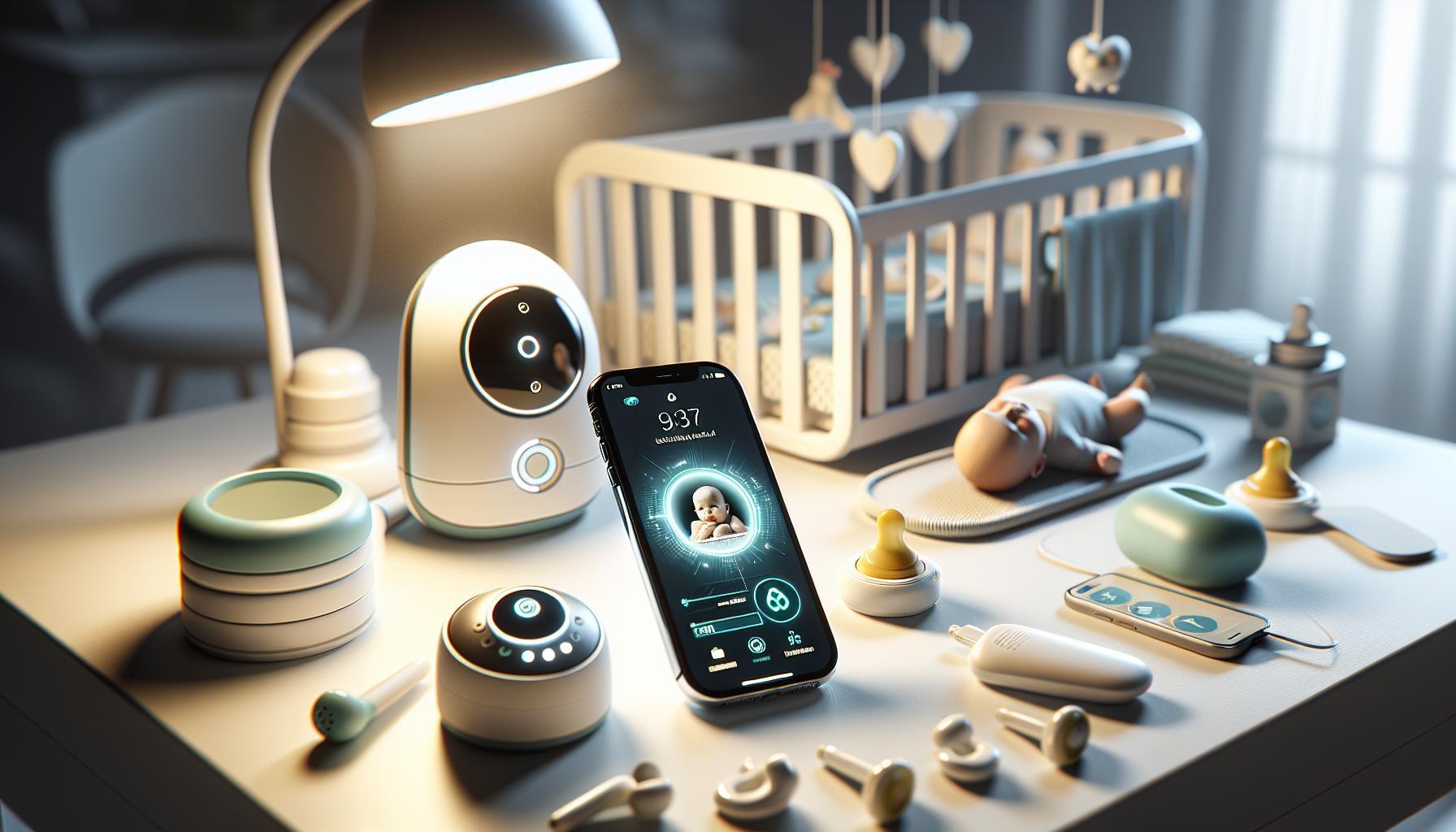
Choosing the right baby monitor can be overwhelming for parents seeking safety and peace of mind. With so many options available,understanding the features,reliability,and overall performance of a WiFi baby monitor is crucial. This review offers unbiased insights into the VTech baby monitor’s functionality, helping parents make informed decisions for their family’s needs.
What Makes the vtech WiFi Baby Monitor Stand Out?
Innovative Technology for Peace of Mind
For modern parents, technology plays a crucial role in ensuring their baby’s safety and well-being. The VTech WiFi Baby Monitor excels in this arena by offering features that cater to the needs of busy families. With 1080p HD video quality, the monitor delivers crystal-clear images, allowing parents to keep a close eye on their little ones even from afar. This feature is especially beneficial when monitoring sleeping babies or toddlers during nap time, as it eliminates any uncertainty about their comfort and safety.
Smart Connectivity Features
Another standout aspect of the VTech WiFi Baby Monitor is its ability to connect seamlessly to WiFi networks. This functionality enables parents to view the live feed of their baby’s room from anywhere via a smartphone or tablet. The capability to pan and tilt the camera remotely ensures that parents can adjust their view without needing to physically enter the room, making it easier to monitor multiple angles or check on different children in various parts of the home.
Key Features:
- 360-degree pan and tilt capability
- Mobile app integration for remote viewing
- Two-way audio communication
- built-in night light for extra reassurance
User-Friendly design
The VTech wifi Baby Monitor is designed with usability in mind.Its user-friendly interface includes clear menus and easy-to-use controls, making it accessible for all parents, even those who may not be tech-savvy. The large 5-inch display provides a generous viewing area, while the additional features such as temperature monitoring and sound alerts add layers of convenience. As an example, parents can receive alerts if the room temperature falls out of a designated comfort zone, ensuring a safe environment for their child.
| Feature | Description |
|---|---|
| Video Quality | 1080p HD for clear visuals |
| Pan/Tilt | Remote control for adjusting the camera angle |
| Audio | Two-way audio for communication |
| Mobile Access | View on smartphone/tablet from anywhere |
In essence, the vtech WiFi Baby Monitor combines advanced features, smart connectivity, and an intuitive design to create a top-tier choice for parents seeking to enhance their child-monitoring experience.The blend of these elements positions it as a leading product in the market,as highlighted in the VTech WiFi Baby Monitor Review: Unbiased Insights for Parents,showcasing its appeal to a wide audience of modern families.
Easy Setup: A Step-by-Step Guide for Busy Parents
Set up Your VTech WiFi Baby Monitor in No Time
Getting your VTech WiFi baby monitor up and running is a breeze, even for the busiest parents. With just a few simple steps,you’ll be ready to keep an eye on your little one around the clock. The first thing to remember is that readiness makes all the difference. Begin by unpacking your monitor thoroughly and laying out all components—this includes the parent unit, the baby unit, and any additional accessories. Familiarize yourself with each piece so that setup feels intuitive.
Step-by-Step Setup Instructions:
- Start by installing the batteries in both the Parent Unit and Baby Unit. For optimal monitoring, plug the units into an AC power outlet while the batteries are installed.
- Once the batteries are in place, power on both units. Pay attention to the indicators to ensure both are operational.
- Next, initiate the pairing process. Typically, this involves holding down the pairing button on the baby unit until it enters pairing mode. Refer to your specific model’s instructions,but this step should be straightforward for all VTech monitors.
- Confirm that the Parent Unit detects the Baby Unit—many models will display an on-screen message or an audible tone to indicate a accomplished connection.
Troubleshooting Common Issues
Even with a user-friendly design,you may encounter minor hiccups during setup. If your Parent Unit does not recognize the baby Unit, try repositioning it or moving closer to ensure a stronger signal. Furthermore, ensure that both units are properly charged. A weak charge can signal issues or hinder the connection. If all else fails, restarting both units can often resolve connectivity problems. Following these practical steps will ensure you leverage the full capabilities of your VTech WiFi baby monitor, allowing you to enjoy peace of mind while keeping a close watch on your child.
Why Choose VTech?
in the bustling world of parenting, the last thing you want is complex technology. The VTech WiFi baby monitor is designed to alleviate the stress associated with setting up monitoring gear. Its straightforward step-by-step process is part of why many parents opt for this trusted brand. By following the outlined setup instructions, you’ll find that monitoring your baby seamlessly fits into your busy lifestyle, offering you both convenience and clarity in their care.By integrating these handy tips and the straightforward setup process into your routine, you ensure that your home remains a safe, tranquil place for both you and your little one. With the VTech WiFi baby monitor, you gain an extra set of eyes, along with the peace of mind that comes from knowing your baby is safe and sound.
Understanding the Key Features: What You Really Need
Essential Features to Consider When Choosing a VTech WiFi Baby Monitor
In choosing a baby monitor, understanding the key features is crucial for ensuring peace of mind while caring for your little one.VTech WiFi baby monitors stand out in the crowded market due to their innovative technologies and user-friendly designs. Features to look for can greatly enhance your overall monitoring experience,offering benefits that go beyond basic audio-visual capabilities.
video Quality
When it comes to monitoring, clarity is paramount.Models like the vtech RM5856-2HD provide a 720p high-definition display, allowing you to see every detail of your baby’s room clearly. A higher resolution not only enhances visibility but also makes it easier to spot if your baby is asleep or needs attention. Moreover, the night light feature in these models also aids visibility during nighttime check-ins.
Remote Access and Smart Features
With smart WiFi capability, many VTech monitors allow parents to check in on their child using their smartphones. This access provides adaptability for parents who might potentially be in another room or even outside the home. For instance, the VTech RM766HD enables remote viewing with 360-degree pan and tilt functionality, giving reassurance that you can monitor your child from virtually any angle.As more parents seek integrated solutions, these smart features are essential for modern family needs.
Battery Life and Connectivity
when selecting a baby monitor, battery longevity is another critical consideration. The VTech Smart HD Plus model boasts up to 13 hours of video streaming on a single charge, making it a reliable option for overnight use. Furthermore, seamless connectivity ensures that your monitor remains linked to your home wifi network without disruptions, keeping you connected to your baby at all times.
| Feature | Description |
|---|---|
| Video Quality | 720p HD for clear visuals, includes night light functionality. |
| Smart WiFi Access | Allows viewing via a smartphone with remote capabilities and pan & tilt options. |
| Battery Life | Up to 13 hours of streaming on a single charge for uninterrupted monitoring. |
These features make VTech WiFi baby monitors a compelling choice for parents seeking an effective, versatile monitoring solution. Incorporating top-tier technology with essential functionalities ensures you can keep a watchful eye on your baby, promoting a sense of safety and comfort at home.
security Matters: Keeping Your Baby’s Data Safe
Protecting Your Little one: Key Security Measures for vtech WiFi Baby Monitor Users
In an age were technology offers unprecedented convenience, it also presents unique challenges, particularly when it comes to privacy and data security. The VTech WiFi Baby Monitor, while an excellent tool for keeping an eye on your child, can be vulnerable to outside interference if not properly secured. With disturbing reports of baby monitors being hacked, ensuring the safety of your monitor is paramount for peace of mind as a parent.
To safeguard your vtech monitor and your family’s privacy, here are some critical recommendations:
- Secure Your Wi-fi Network: The most common entry point for hackers is your Wi-Fi network. Make sure your router is protected with a strong, unique password and consider using WPA2-PSK with AES encryption for optimal security.
- Firmware Updates: Regularly check for and install firmware updates for your monitor.Manufacturers like VTech often release security patches to address vulnerabilities.Staying updated will help close potential loopholes that hackers might exploit [[1]].
- Change Default Settings: Many devices come with preset passwords and settings. Change these as soon as you set up your monitor to ensure that it’s not easily accessible to unauthorized users.
- Monitor Access: Limit the use of your monitor to trusted devices only. This minimizes the risk of unauthorized access through lesser-known smartphones or tablets.
Understanding Encryption for Added Security
One of the standout features of the VTech WiFi Baby Monitor is its data encryption through AES-128. This method secures the video and audio feeds, making it considerably harder for hackers to intercept and view your data without authorization. However, encryption alone isn’t foolproof; it works best in conjunction with other security measures mentioned above. Always ensure that you periodically review the security settings on your device for any updates or best practices to strengthen your network further.
as you monitor your baby’s activities through the VTech WiFi Baby Monitor, employing a proactive approach towards data security not only protects your child’s privacy but also enhances your overall experience. With the right precautions in place, you can enjoy the full benefits of this modern parenting tool while keeping unwanted intruders at bay.
Real-Life Experiences: Parent Reviews and Feedback
Parents today are consistently on the lookout for reliable and efficient baby monitors that can cater to their needs while providing peace of mind. The insights gathered from real-life experiences shed light on how well the VTech WiFi Baby Monitor serves that purpose. Many users note the ease of installation and setup, with one parent mentioning that they were able to connect the monitor to their home WiFi network in just a few minutes. This quick setup process gets new parents off to a great start as they prepare to monitor their little ones.
Usability and Features
The VTech WiFi Baby Monitor impresses with its user-friendly app, which allows parents to view the baby feed directly on their smartphones or tablets. Feedback from parents highlights the clarity of the video feed, often described as exceptionally clear. One parent emphasized how grateful they were for the pan and tilt features, which enable them to adjust the camera remotely from another room. This flexibility is particularly useful for larger homes, where moving between rooms to check on an infant can be cumbersome.
Real-World Performance
Several parents have shared their experiences regarding nighttime monitoring, noting the monitor’s night vision capabilities. One review mentioned that the infrared vision provided a crisp image even in complete darkness, allowing them to comfortably check on their baby without the need for additional lighting. Furthermore, many appreciate the sound quality of the audio, as one parent noted, “I can hear every coo and whisper from my baby, which is comforting when I’m in another room.”
Pros and Cons
While many parents rave about the features and performance of the VTech WiFi Baby Monitor, it’s essential to consider the cons as well:
| Pros | Cons |
|---|---|
| – High video clarity | – Occasional connectivity issues in certain areas of the home |
| – Easy setup and app integration | – Limited battery life on the portable unit |
| – Good night vision | – Some parents reported delays in audio transmission |
Ultimately, parents consistently recommend the VTech wifi baby Monitor for its combination of user-friendly technology and reliable functionality. The blend of modern technology with practical features makes it a top choice for many families, ensuring that peace of mind is just a glance away.
Troubleshooting Common Issues: Tips to Keep You connected
Staying connected to your baby while ensuring peace of mind is a primary goal of the VTech WiFi Baby Monitor. Though, like any tech device, you may encounter some hiccups along the way. Here are some practical troubleshooting tips to help you maintain a seamless connection and keep you in tune with your little one.
Check Your wi-Fi Connection
A stable Wi-Fi connection is crucial for the performance of your VTech baby monitor. Start by ensuring that your router is functioning properly and is within range of the monitor. If you experience interruptions:
- Restart your Wi-Fi router to refresh the connection.
- Consider repositioning the monitor or router to eliminate obstacles.
- Use a Wi-Fi extender if your monitor is far from the main router.
Monitor App Activity
The VTech mobile request that pairs with your baby monitor can sometimes experience glitches. If you find that the app isn’t responding or showing live feed:
- Close and reopen the app to reset its state.
- Ensure that the app is updated to the latest version for optimal functionality.
- Check your phone’s settings to ensure that background app refresh is enabled.
Adjust Camera Settings
For the best viewing experience, adjust the settings on your VTech WiFi monitor. Here’s how you can optimize it:
| Setting | Recommendation |
|---|---|
| Night Vision | Ensure it is activated in low-light conditions. |
| Pan & Tilt | Regularly check functionality and adjust as needed. |
| Audio Settings | Adjust sensitivity settings if audio delays occur. |
By following these tips from the VTech WiFi Baby Monitor Review: Unbiased Insights for Parents, you can troubleshoot common issues swiftly, ensuring your device works optimally and keeps your little one in focus. Keeping both the hardware and software updated is key to maintaining a strong connection, thereby enhancing your overall monitoring experience.
How does the VTech Compare to Other baby Monitors?
Comparing the VTech WiFi Baby Monitor to Its Competitors
When evaluating baby monitors, it’s essential to consider how each model stacks up against its competition in terms of features, performance, and overall value.The VTech WiFi Baby Monitor stands out for its unique combination of WiFi capabilities and dedicated parent unit, making it a compelling option for tech-savvy parents. Unlike many customary monitors that operate solely on radio frequencies, the VTech model harnesses WiFi to offer greater flexibility in monitoring your baby from virtually anywhere with your smartphone.
- Video quality: The VTech model offers decent video clarity, even though some reviews suggest that its video quality trails behind higher-end models, such as the Lollipop or babysense MaxView. This can impact your ability to view your baby clearly during night-time checks.
- Sound Quality: Rated lower than some competitive models, the VTech’s sound quality still provides clear audio, essential for monitoring your baby’s needs.
- Range and Connectivity: The VTech WiFi Baby Monitor allows for a range of connectivity options, making it versatile compared to models like the HelloBaby HB6550, which relies solely on local connectivity.
Feature Comparison
The following table outlines key features of the VTech WiFi Baby Monitor compared to other popular options:
| Feature | VTech WiFi Monitor | Lollipop Monitor | Babysense MaxView |
|---|---|---|---|
| Video Quality | Good | Excellent | Very Good |
| Audio Quality | Good | Very Good | Excellent |
| WiFi Capability | Yes | Yes | No |
| Battery Life | Average | Excellent | Very Good |
while the VTech WiFi Baby Monitor is competitive, it may not offer the same level of video quality or additional features available in pricier alternatives. However, it does provide a solid balance of functionality for parents seeking a dedicated unit that integrates with WiFi for mobile monitoring. If you prioritize seamless connectivity and straightforward operation over high-end video specifications, the VTech could be an excellent choice for your nursery setup.
Creating a Safe Sleep Environment: The Role of Technology
Creating a soothing sleep environment for your baby is crucial, and technology plays an increasingly vital role in ensuring safety and peace of mind for parents. The VTech WiFi Baby Monitor serves as a prime example of how modern devices contribute to a secure sleep space. Not only does it allow parents to remotely monitor their little ones from anywhere in the home, but it also features advanced capabilities that enhance the safety of the sleep environment.
Features of VTech WiFi Baby monitor
The VTech baby monitor goes beyond simple audio and video functionalities.Here are some of its key features that align with safe sleep practices:
- High-definition video quality: Ensures parents can clearly see their baby without entering the room, reducing disturbances.
- Night vision: Allows for monitoring in low-light conditions, so parents can keep an eye on their baby during nighttime without turning on lights.
- Two-way communication: Enables parents to soothe their child remotely, which can definitely help prevent crying and promote longer sleep durations.
- Temperature monitoring: Alerts parents if the nursery gets to hot or cold,helping to maintain an optimal sleep environment.
Integrating Technology for Peace of Mind
Utilizing a tool like the VTech WiFi Baby Monitor helps parents feel more in control of their child’s sleep environment. This device is particularly beneficial when paired with other safe sleep practices recommended by pediatric experts. Implementing a technological solution provides parents with real-time updates and the ability to respond quickly if their baby needs attention.
Moreover, many parents find that the peace of mind afforded by such monitors minimizes sleep disturbances for themselves. When parents are assured their baby is safe and sound, they are more likely to enjoy uninterrupted rest, which is critical for maintaining overall health and well-being.
Practical Tips for Using Technology Effectively
To get the most out of the VTech WiFi Baby Monitor,consider these practical tips:
- placement: Position the monitor to cover the entire crib area without being obstructive,ensuring a full view of your baby.
- Regular checks: Update the app and monitor software to ensure all features function correctly and securely.
- Engage features: Use the night vision and temperature check features actively to adapt the nursery environment for safe sleep.
Incorporating technology like the VTech WiFi Baby Monitor into your sleep environment not only enhances safety but also enriches the parenting experience by providing reassurance and reducing anxiety. By keeping these practices in mind, you can create a nurturing setting that supports both your baby’s sleep and your peace of mind.
Q&A
What is a VTech WiFi baby Monitor?
A VTech WiFi Baby Monitor is a digital device that allows parents to keep an eye on their babies remotely through a smartphone or tablet. It connects via WiFi, providing real-time video and audio feeds.
These monitors frequently enough come equipped with features such as night vision, two-way communication, and temperature sensors. The added convenience of accessing the monitor via an app makes them a popular choice for modern parents, as it allows for monitoring while on the go or from another room in the house.
How does the VTech WiFi baby Monitor connect to WiFi?
The VTech WiFi Baby Monitor connects to your home WiFi network using a simple setup process within the accompanying app. You need to provide your WiFi credentials for the monitor to establish a connection.
Once connected, you can easily view the feed through your device. However, it’s worth noting that disruptions in your WiFi connection can affect the monitoring experience, leading to potential delays as the device reconnects, which can take up to 5 minutes during signal drops.
Why would I choose the VTech WiFi Baby Monitor?
choosing a VTech WiFi baby Monitor comes down to its user-friendly features and reliable performance. It typically offers high-definition video, real-time alerts, and a secure connection, making it a suitable choice for many families.
Parents appreciate the convenience of monitoring their baby from anywhere using a smartphone app, alongside features that enhance baby safety, such as sound and motion notifications. the combination of quality and accessibility makes it a strong contender in the baby monitor market.
Can I monitor my baby without WiFi using the VTech baby monitor?
No, you cannot use a VTech WiFi Baby Monitor without a WiFi connection. These monitors rely exclusively on WiFi to transmit data between the camera and your mobile devices.
If you prefer a non-WiFi solution, consider other models that offer direct connections through cameras and monitors without needing an internet connection. Though, keep in mind that the features may differ from those available in WiFi-enabled products.
What security features does the VTech wifi Baby Monitor have?
the VTech WiFi Baby Monitor includes several security features designed to protect your family’s privacy. It uses encryption technology to secure the video and audio feeds from unauthorized access.
Additionally, users are encouraged to set strong, unique passwords for their accounts.Regular updates to the app and firmware can also help to mitigate potential security risks, ensuring that your baby’s environment remains safe.
How can I improve the performance of my VTech WiFi Baby monitor?
To enhance the performance of your VTech WiFi Baby monitor, ensure that your WiFi router is placed in a central location in your home. This can minimize signal obstruction and maximize connectivity.
Additionally, regularly check for software updates in both the monitor and the connected app to benefit from performance improvements and new features. Using a 5 GHz network, if available, may also yield better results than a 2.4 GHz network.
Can the VTech WiFi Baby Monitor be used at night?
Yes, the VTech WiFi Baby Monitor is designed for nighttime use, featuring built-in night vision capabilities. This ensures that you can still see your baby clearly in low-light conditions.
This functionality is crucial for parents who want to monitor their child during nighttime sleep without disturbing them with bright lights.The clear video feed allows parents to check on their baby easily while they rest.
Where can I find customer support for my VTech WiFi Baby Monitor?
you can find customer support for your VTech WiFi Baby Monitor on the official VTech website. They offer resources such as FAQs, manuals, and direct support contacts.
For specific issues, browsing their dedicated support section or calling their customer service can provide answers and assist with troubleshooting any concerns you may encounter while using the monitor.
Wrapping Up
the VTech WiFi Baby Monitor stands out for its notable camera quality, ease of use, and large screen size, making it a popular choice among parents seeking reliable monitoring solutions. When setting up your monitor, be sure to follow the included instructions for optimal performance and security; a secure WiFi connection is essential to protect your baby’s privacy.Rest assured that concerns for safety and privacy are valid, and VTech monitors feature safeguards to help maintain your child’s security while you monitor their well-being. We encourage you to explore more about the range of features and benefits of the VTech WiFi Baby Monitor, as well as alternative options available, to make an informed decision that best suits your family’s needs. Your peace of mind as a parent is paramount, and taking the time to research will ensure you choose the right monitoring solution for your little one.
Get our latest guides, news, and insights highlighted in your Google Search & AI Overviews.