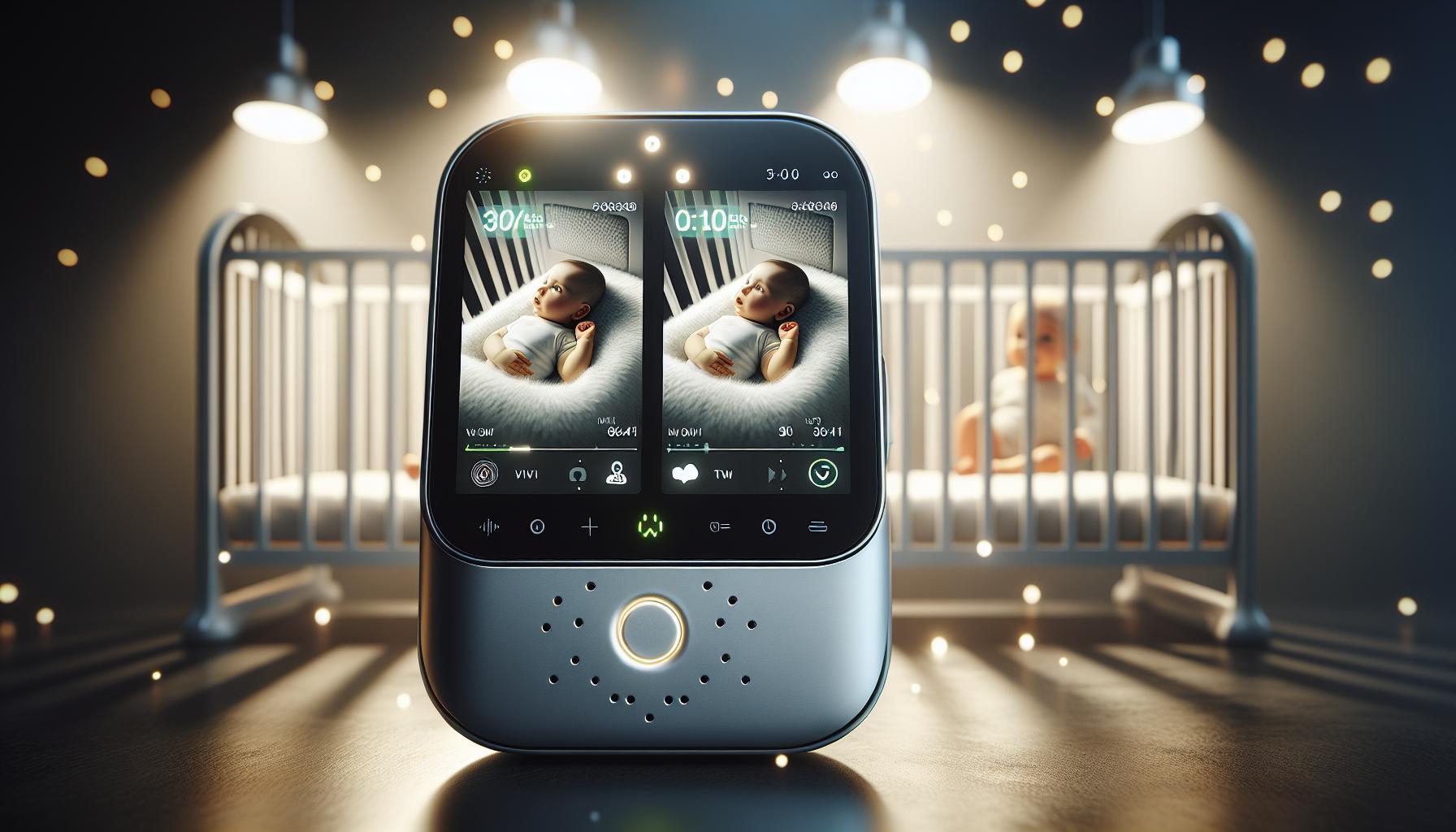
Choosing the right baby monitor is crucial for ensuring your child’s safety while providing parents peace of mind. with concerns about compromised privacy and data security, finding a reliable device that combines advanced features with strong encryption is essential. This guide explores expert recommendations to help you select the best and safest monitoring solution for your family.
Understanding the Different Types of Baby monitors
Discovering the Variety of Baby Monitors
choosing the right baby monitor can feel overwhelming, especially with the plethora of options available today. Each type serves a unique purpose, catering to different parenting styles and safety concerns. Understanding the differences among them can ensure that you select the most suitable device for your family’s needs.
- Audio Baby monitors: These are the most basic type of baby monitors, allowing parents to hear their baby’s sounds without needing to see them. They are cost-effective and effective for parents who want simplicity without additional features.
- Video Baby Monitors: A step up from audio models, video monitors provide real-time visual feedback. with high-definition video streaming, parents can visually check on their little ones without entering the room. Many models also include two-way audio, which allows parents to soothe their babies from afar.
- Wi-Fi Baby Monitors: These connect to your home network,enabling remote access through a smartphone app. This flexibility means parents can monitor their baby from anywhere, making it easier to keep an eye on things while out of the house.
- Smart Baby Monitors: The latest in monitoring technology, smart monitors often feature temperature and humidity sensors, sleep tracking, and even advanced alerts if unusual movements or sounds are detected. These monitors leverage the power of smart home integration, giving parents a comprehensive overview of their baby’s habitat.
- Wearable Monitors: designed to be placed directly on the baby, these devices track vital signs like heart rate and oxygen levels. Their purpose is often highlighted in discussions around Sudden Infant Death Syndrome (SIDS), offering an added layer of reassurance for anxious parents.
making the Right Choice
When considering the best and safest baby monitor for your family, assess your lifestyle and specific needs. For instance, if you travel frequently or have a home with multiple floors, a video monitor with Wi-Fi capabilities might be ideal. Conversely, if you prefer a straightforward solution without the need for Wi-Fi connectivity, an audio monitor may suffice.Review features, read comprehensive comparisons, and leverage expert resources to make an informed decision. The right monitor can greatly enhance your peace of mind and ensure your baby’s safety at all times.
Key Features to Look for in a Baby Monitor
Essential Features to Consider in a Baby Monitor
When it comes to selecting the right baby monitor, parents are often inundated with choices, but understanding the key features can simplify the decision-making process. A reliable baby monitor not only provides peace of mind but also enhances the safety of your little one. Here are some crucial elements to consider:
- Video Quality: Look for high-definition (HD) video capabilities, ideally 1080p or better, which can greatly enhance clarity when checking on your baby. Models like the Momcozy Video Baby monitor BM01 impress with their HD displays, making it easier to see every detail of your child’s sleep[[[[2].
- Audio Features: Continuous audio feed is an important feature for many parents. Some Wi-Fi monitors lack this functionality when the app is not in the foreground, which can lead to missed sounds. Choose models offering an always-on audio option, like the Eufy Baby Monitor 2, to ensure you never miss a whimper or cry while multitasking on your phone[[[[2].
- Connectivity: Decide between traditional local-video monitors and Wi-Fi-enabled models. Hybrid models combine both a parent unit and app functionality, allowing you to check in from anywhere.Features such as remote camera control and adjustable angles add convenience, notably for restless infants[[[[1].
- Environmental Monitoring: Advanced monitors come with optional features like temperature and humidity sensors to ensure your baby’s nursery remains comfortable.These functions provide extra assurance about your child’s environment, a concern echoed by many parents[[[[3].
Additional Features for Enhanced Safety
Beyond the basics, certain additional features can substantially enhance the safety and functionality of your baby monitor.
| Feature | Description |
|---|---|
| Two-Way Dialog | Allows you to soothe your baby with your voice from another room, promoting a sense of presence. |
| Night Vision | Infrared technology enables clear video monitoring in low-light conditions,which is essential for nighttime checks. |
| Alerts and Notifications | Some smart monitors can send instant alerts for sound detection or abnormal environmental changes, keeping you informed at all times. |
understanding what makes the best and safest baby monitor involves more than just price or brand. Selecting a monitor that aligns with your specific needs can make a critically important difference in ensuring your child’s safety and enhancing your peace of mind. Features such as high-quality video, robust audio functions, environmental sensors, and effective connectivity options should guide your choice to find the perfect baby monitor solution.
Ensuring Your Baby Monitor is Secure and Private
Understanding the Importance of Baby Monitor Security
With the rise of smart technology in our homes, is more crucial than ever. Poorly secured devices can become potential gateways for hackers, putting your family’s privacy at risk. This can lead to unauthorized access to live feeds and even recordings from your monitor, which is why parents must be proactive in safeguarding their devices.
Essential Tips for Securing Your Baby Monitor
To enhance the security of your baby monitor, consider implementing the following strategies:
- Use Strong Passwords: Change the default password of your baby monitor to a robust, unique password. This makes it significantly harder for unauthorized users to gain access.
- Secure Your Wi-Fi network: Ensure your home Wi-Fi network is protected with WPA2 encryption and a strong password. Avoid using open Wi-Fi networks or easily guessable passwords.
- Regular Firmware Updates: Check for firmware updates regularly. Many manufacturers release patches to fix security vulnerabilities, which can help protect your monitor from hacks.
- Disable Unused Features: Turn off features you don’t need, such as remote viewing or downloading software, if they aren’t necesary for your monitoring needs.
- monitor for Unusual activity: Stay vigilant by observing if your device behaves unexpectedly (e.g., unexpected resets or strange noises). This may indicate unauthorized access.
Choosing the Right Baby Monitor
When considering which baby monitor to purchase, prioritize models with advanced security features. A monitor that allows you to change settings and has built-in encryption can offer better protection. Additionally, look for recommendations and reviews discussing the security aspects of the devices.
| Monitor Model | Security Features | Price Range |
|---|---|---|
| eufy Baby Monitor E20 | Encryption, strong password options | $70 - $90 |
| Infant Optics DXR-8 | no Wi-Fi, secure local transmission | $150 – $200 |
| Nest cam | Two-factor authentication, encrypted streams | $200+ |
by taking these proactive steps, you can significantly enhance the security and privacy of your baby monitor, providing peace of mind while keeping an eye on your precious little one. Awareness and vigilance are key to ensuring your technology works safely within your home.
Expert Tips for Setting Up Your Baby Monitor
Maximize Safety and Functionality
Setting up your baby monitor is crucial not just for peace of mind, but also for ensuring your child’s safety while they sleep.When choosing the ideal location for your monitor,consider positioning it at least three feet away from the crib. This distance minimizes the risk of your little one reaching the device or its lengthy cords. If you’re using a video monitor, make sure it has a clear line of sight to your baby and avoid placing it near windows where outside light can create glare on the screen.
Prioritize secure Connectivity
Modern Wi-fi baby monitors offer remarkable convenience but come with their own set of security concerns. Opt for models that incorporate strong password protection and encryption features to safeguard against unauthorized access. Regularly update your monitor’s firmware to patch any security vulnerabilities.Most importantly,ensure your home Wi-Fi network itself is secure by using a strong password and disabling any features that could expose it to external threats.
Adjust Settings for Optimal Use
When setting up your baby monitor, take the time to familiarize yourself with its settings to get the most out of it. Here are some tips:
- Volume Control: Keep the volume at a comfortable level where you can hear your baby without it being disruptive.
- Video Settings: Adjust brightness and contrast to ensure clear visibility; some devices even offer night vision for low-light conditions.
- Alerts and Notifications: Set up sound and motion alerts, but be cautious not to turn them all on as they can lead to notification fatigue.
Regular Maintenance and Care
To continue benefiting from your baby monitor, regular maintenance is essential. schedule periodic checks to clean the camera lens and check the battery health if it has a rechargeable option. Ensure that all cords are secured to prevent potential hazards. Update any apps associated with wireless models to leverage new features or improvements.
By following these ,you’ll significantly enhance its usability while ensuring the safety and care of your child. Properly configured, your baby monitor becomes an invaluable tool in the journey of parenting, granting you peace of mind as you navigate the thrilling yet demanding adventure of raising your child.
Comparing Video and Audio Monitors: Which is Right for You?
Video vs. Audio Monitors: Making the Right Choice
When it comes to keeping an eye on your little one,the type of monitor you choose can significantly impact your peace of mind.Video monitors are becoming increasingly popular, offering real-time visuals of your baby, which can be particularly reassuring for new parents. Video baby monitors often come equipped with features such as night vision, two-way audio, and motion detection alerts, allowing you to see and hear your baby from another room. For instance, models like the Nanit Pro offer high-definition video streaming through Wi-Fi, providing parents with notifications about motion and sound, giving added security and awareness even when they aren’t in the same room [1].
On the other hand, audio-only monitors are often seen as a more budget-kind option with fewer features but a more straightforward setup. These devices work by transmitting sound from the baby’s room to a handheld unit, which can be particularly beneficial for parents who prefer to keep things simple. The vtech DM221 is an example of a reliable audio-only option that delivers clear sound quality without the distractions that might accompany a visual feed [3].
Key Considerations
When selecting between video and audio monitors, consider the following factors:
- Budget: Video monitors generally cost more due to their advanced features. If you’re on a tight budget, an audio-only monitor might be a more practical choice.
- Privacy: Some parents may prefer audio-only monitors to limit the exposure of video feeds to potential hacking vulnerabilities, especially with Wi-Fi-enabled devices.
- Space and Usage: If you live in a smaller space or only need to monitor your baby occasionally, an audio monitor will suffice. However, for larger homes or for parents who have babies who move around a lot while sleeping, video monitors provide a clearer understanding of the baby’s activities.
- Features: Look for features that suit your lifestyle, such as app connectivity, sleep tracking, or temperature monitoring, which are frequently enough included in video monitors but may not be available in basic audio versions.
Ultimately, the decision boils down to personal preference and parenting style. While video monitors provide more comprehensive monitoring, audio monitors continue to serve as a classic, effective choice for many families. As you ponder what is the best and safest baby monitor, weigh these considerations to find the perfect fit for your needs.
The Role of Smart Technology in Baby Monitoring
The Evolution of Baby Monitoring: Embracing Smart Technology
In today’s fast-paced world, keeping an eye on your little one has never been easier, thanks to advancements in smart technology. The integration of high-tech features in baby monitors offers parents not just peace of mind but also actionable insights into their baby’s health and well-being. Modern smart baby monitors do more than just transmit audio and video; they provide a comprehensive suite of tools that can track breathing, sleeping patterns, and even environmental conditions.
Features of smart Baby Monitors
Smart baby monitors have revolutionized how parents interact with their children during early advancement stages.Here are some key features that highlight the role of technology in baby monitoring:
- HD Video streaming: Many smart monitors offer high-definition video that allows parents to see their baby clearly day or night.
- Breathing and Movement Tracking: Devices like the Nanit Pro monitor track important metrics like how often your baby breathes and moves, providing alerts if anything seems unusual.
- Sleep Insights: These monitors analyse sleep cycles and patterns, helping parents create better sleep routines for their babies.
- Environmental Monitoring: Smart monitors can also check room temperature and humidity, ensuring that your baby’s environment is comfortable.
- Integration with Smart Home Devices: Many models work with assistants like Amazon Alexa or Google Assistant,allowing for voice control and seamless integration into your home automation system.
Real-World Impact of Smart Monitoring
The safety and well-being of babies remain a top priority for parents, and smart monitors significantly contribute to this goal. For instance, technology such as cry detection can alert parents when a baby cries, even when they are not in the same room. advanced systems now being developed, like the uniwhale AI Baby Companion, utilize multi-modal sensing technologies to offer real-time health insights without any physical contact with the baby, heralding a new era of proactive parenting tools [[2](https://saferforbaby.com/future-of-baby-monitoring-in-2025/)].
as parents search for the best and safest baby monitor, it’s vital to consider how these devices can enhance their caregiving experience. Innovations in smart technology are providing unparalleled capabilities that not only foster a child’s safety but also promote better overall health monitoring. Investing in a capable smart baby monitor can ultimately lead to a richer, more informed parenting experience.
How to Choose a baby monitor that Grows with Your Family
Finding the Right Baby Monitor for Your Growing Family
When selecting a baby monitor, consider one that can adapt to your family’s evolving needs. as your child grows, their sleep habits and environment will change, and your monitoring requirements may become more complex. A versatile system will not only provide peace of mind but also save you money by ensuring you won’t need to purchase a new monitor as your child matures.
Key Features to Consider:
- Connectivity Options: Look for monitors that offer both Wi-Fi and non-Wi-Fi capabilities. This hybrid approach allows you to use the monitor in various settings without leaking personal data.
- Camera Flexibility: Choose models with adjustable camera angles or pan-and-tilt features.As your child grows, being able to easily reposition the camera can help you monitor play areas and sleeping spaces with ease.
- Multi-Child Functionality: Some monitors allow you to connect multiple cameras, enabling you to keep an eye on more than one child at once. Consider a system that can grow with your family, especially if you plan to have more children.
- Additional Features: Temperature sensors, motion alerts, and sleep tracking can enhance your monitoring experience. Devices like the Nanit Pro even offer growth tracking and breathing monitoring, making them an investment for both newborns and toddlers [3].
Future-Proofing Your Purchase
Investing in a high-quality baby monitor is essential, not just for your current needs but also for what lies ahead. Smart monitors that integrate with other home automation systems may offer greater longevity. For example, starting with basic video monitoring and later expanding to include features like smart lights or sound machines can create a cohesive ecosystem tailored to your family’s lifestyle.To further simplify your decision-making process, consider creating a comparison table of your top choices, highlighting features that cater to both infant and toddler phases. Collect feedback from other parents or read expert reviews as seen in articles like “What is the Best and Safest Baby Monitor? Expert Answers Inside,” which can guide you toward making a well-informed decision. By thoughtfully selecting a baby monitor with adaptable features, you’ll ensure that your purchase remains valuable as your child grows.
Q&A
What is the Best and Safest Baby Monitor?
The best and safest baby monitor combines reliable features like video and audio monitoring with strong security measures. It’s essential to consider factors such as the monitor’s range, battery life, and whether it provides two-way communication.
Why does security matter in baby monitors?
Security is crucial because many baby monitors use Wi-Fi, making them susceptible to hacking. A secure monitor protects your family’s privacy and ensures that only you can access the video and audio feeds.
Can I use a baby monitor while traveling?
Yes, many modern baby monitors are portable and designed for travel.Choose a monitor with a rechargeable battery or one that operates via USB for convenience while on the go.
What features should I look for in a baby monitor?
Look for features such as high video resolution, night vision, two-way talk, temperature monitoring, and a wide wireless range. These features enhance usability and ensure you keep your baby safe.
How do I set up a baby monitor?
setting up a baby monitor is straightforward. First, position the camera where you can see your baby clearly. Then, connect the parent unit or app to your Wi-Fi network if applicable.Follow the manufacturer’s guidelines for any additional setup.
Can baby monitors support multiple cameras?
Yes, many baby monitors support multiple cameras. This feature allows you to monitor different rooms or siblings concurrently,making it perfect for larger homes or multiple children.
How does night vision work in baby monitors?
Night vision uses infrared technology to capture clear images in low light conditions. This feature ensures you can monitor your baby at night without disturbing their sleep with luminous lights.
Are baby monitors safe for my child?
Yes, baby monitors are generally safe, especially those that meet safety standards. Look for models tested for emissions and privacy to ensure they provide a secure environment for your baby.
In Conclusion
selecting the best and safest baby monitor involves understanding the balance between functionality, security, and health considerations. It’s essential to prioritize monitors with robust security features, such as end-to-end encryption, to safeguard your family’s privacy while providing peace of mind as you monitor your little one. Additionally, considering the technology used—such as DECT or FHSS—can help address concerns about radiation exposure. Remember, the perfect baby monitor is one that meets your family’s needs, ensuring a safe environment for your child. We encourage you to further explore our insights and recommendations,so you can make an informed choice that aligns with both your parenting style and safety standards.Happy monitoring!
Get our latest guides, news, and insights highlighted in your Google Search & AI Overviews.