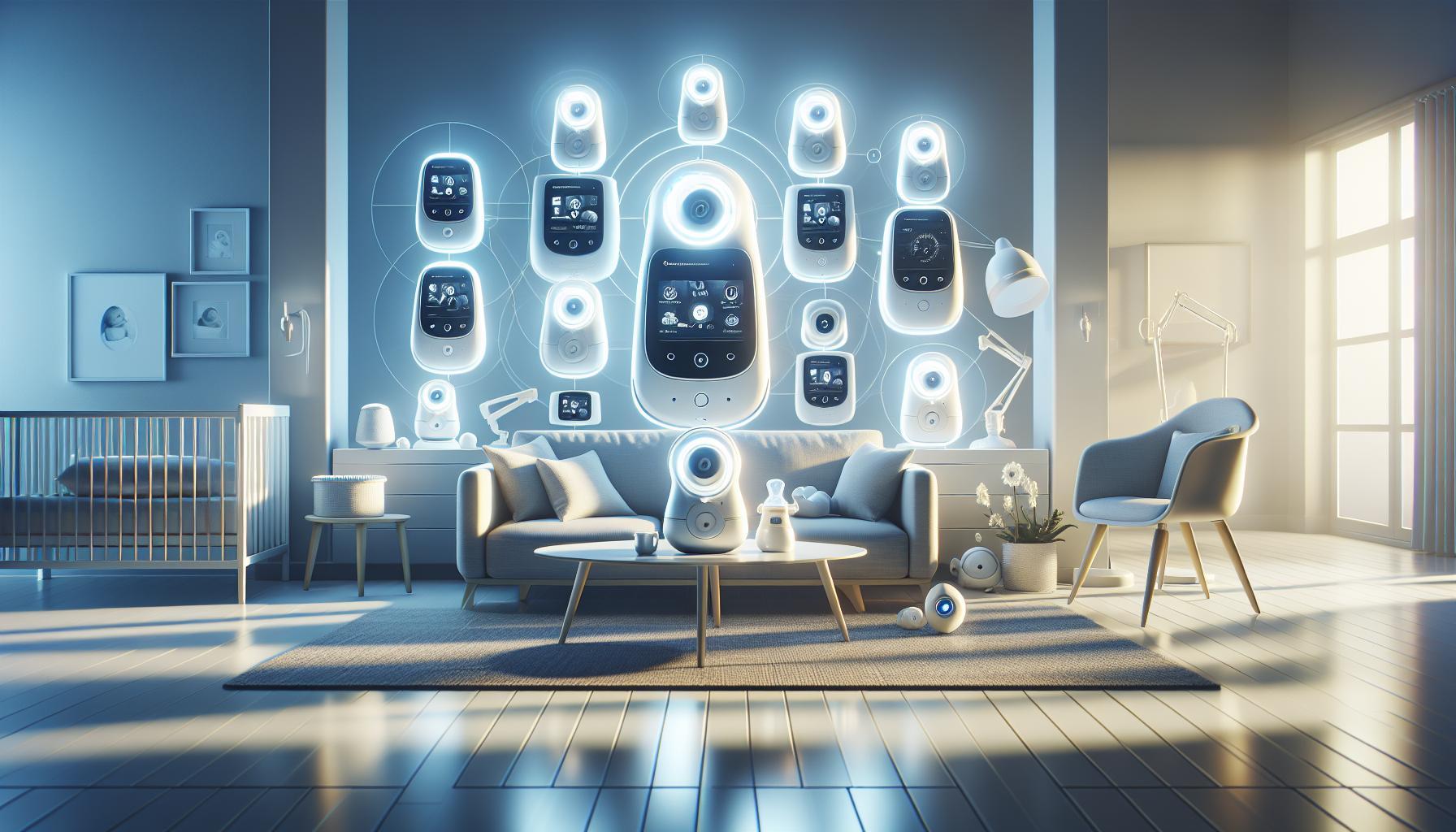
As a parent, ensuring your baby’s safety while they sleep can be a daunting task. Baby monitors have revolutionized the way caregivers keep an eye on infants, offering peace of mind through advanced technology. Understanding how these devices operate—not just the types available but their inner workings—is essential for choosing the right system to fit your family’s needs.
Understanding the Basics of Baby Monitor Technology
Decoding Baby Monitor Technology
In a world where peace of mind is crucial for parents, baby monitors have become indispensable tools, bridging the gap between a sleeping baby and active caregivers. At their core, baby monitors are designed to provide real-time audio and, in certain specific cases, video feedback from your child’s nursery. Utilizing a range of technologies, these devices ensure that even the softest sounds—like a gentle coo or a surprising stir—are heard promptly by parents, allowing them to respond swiftly.
Most baby monitors operate using a basic transmitter-receiver model.The transmitter, positioned in the child’s room, captures audio, visual, or movement signals, depending on the monitor’s sophistication. For instance, audio monitors primarily focus on sound, while video monitors employ cameras to provide live feeds of your baby. In both cases, the signals are sent using radio waves or dedicated wireless connections to the receiver, usually held by parents. This setup allows for seamless monitoring without the need for Wi-Fi, making it versatile even in situations where internet connectivity is unreliable or unavailable [[3]].
Types of Baby Monitors
Choosing the right monitor also involves understanding the different types available. Here are the most common categories:
- Audio Monitors: These monitors focus solely on sound and are typically the most affordable option.
- Video Monitors: Equipped with cameras, these devices allow visual monitoring along with audio.
- Wi-Fi Monitors: Using your home’s internet connection, these advanced monitors enable remote access to live feeds via smartphones.
- Non-Wi-Fi Monitors: These are standalone units that operate on dedicated wireless signals,ensuring security and simplicity without the need for an internet connection.
Understanding these options can help parents make informed decisions that align with their needs and lifestyle. For instance, if you value privacy and security, non-Wi-Fi monitors may be the best choice. In contrast, if you prioritize adaptability and the ability to check in while away, wi-Fi-enabled models could offer the perfect solution.
Ultimately, the functionality of a baby monitor, whether basic or high-tech, rests on the seamless transmission of sounds and images, keeping parents connected to their little ones at all times. whether you opt for a simple audio device or a comprehensive video system, knowing how these monitors work is the first step toward enhancing your parenting experience.
Types of Baby Monitors: choosing What’s right for You

Understanding Your Options
When it comes to ensuring the safety and comfort of your little one,the right baby monitor can make all the difference. As parents seek to balance their need for reassurance with a streamlined lifestyle, a variety of baby monitor types have emerged, each designed to cater to specific needs and circumstances. let’s explore the different types of baby monitors available on the market today, along with practical considerations to help you make the best choice for your family.
Types of Baby Monitors
Baby monitors generally fall into three main categories: audio-only, video, and smart monitors. understanding these categories will help you determine which features are essential for your unique situation.
- Audio-only Monitors: These are the simplest form of baby monitors, typically allowing parents to hear their baby’s sounds through a transmitter and receiver.They are portable, often have long battery life, and are budget-amiable.
- Video Monitors: Combining audio and video, these monitors allow parents to see their baby in real time. With advancements in technology, many video monitors now offer features like night vision, pan-tilt-zoom capabilities, and two-way communication, giving parents peace of mind when they are away from the nursery.
- Smart Monitors: As technology progresses, smart monitors have become popular. These devices connect to your home Wi-Fi, allowing you to view your baby via smartphone apps.They often include advanced features such as remote monitoring, sleep tracking, and temperature sensors.
Key Features to Consider
When choosing the right baby monitor for your needs, consider aspects beyond just the type. Here are features to keep in mind as you weigh your options:
| Feature | Audio-only | Video | Smart |
|---|---|---|---|
| Range | Up to 1000 ft | Up to 600 ft | Wi-Fi dependent |
| Video Quality | No | Varies (720p to 1080p) | High-definition |
| Two-way Talk | No | Usually yes | Available |
| Night Vision | No | Common | common |
| App Connectivity | No | Limited | Yes |
The varied features found in baby monitors echo the evolution of parenting technology, making it easier to stay connected with your baby at all times. By considering your specific needs, such as the size of your home, your budget, and your lifestyle, you can make an informed choice that enhances your parenting experience while ensuring your baby’s safety and comfort.
How to Set Up Your Baby Monitor for Optimal Use

Setting Up Your Baby Monitor for Maximum Effectiveness
A baby monitor is more than just a convenience; it’s a vital tool for ensuring your baby’s safety and your peace of mind. Understanding how to properly set up your device can considerably enhance its performance. The right setup allows for clear communication,ensuring your always connected with your little one,making sleep environments safer and more agreeable.To achieve optimal use, consider following these practical steps:
- Choose the Right Location: Position the monitor at a height that provides a clear view of the crib while minimizing the presence of objects that could obstruct the camera’s line of sight. Ideally, mounting the monitor on a wall or placing it on a sturdy shelf across the room allows for a wider outlook.
- Maintain Clear Audio and Visual Lines: Ensure that there are no physical barriers such as furniture or decorative items that may interfere with the video or sound transmission. A well-positioned monitor will help you receive crisp audio of your baby’s cries or coos.
- Secure the Cables: Safety is paramount.Make sure any wires are secured out of reach of your child and can’t be pulled or chewed on. Use cable management solutions or adhesive clips to keep cords tidy and safe, as per guidelines from experts on baby monitor installation [[3]](https://www.kidsinthehouse.com/blogs/kimberlee-mitchell/safely-installing-a-baby-monitor).
- Calibrate Settings: After you’ve placed the monitor, check the audio sensitivity and video quality settings. adjust these settings based on the ambiance of the baby’s room, ensuring that quiet sounds are picked up while filtering out background noise. Features that let you observe video quality can assist you in ensuring maximum clarity [[2]](https://www.reviewed.com/smarthome/features/how-to-pick-the-right-baby-monitor-for-you).
Additional Considerations
When setting up multiple monitors or choosing between different types, it’s crucial to evaluate range and battery life. If you have a large home or intend to move around while keeping an ear on your baby, select models that offer extended range and reliable battery performance. Many modern baby monitors come equipped with Wi-Fi capabilities, allowing for remote access via your smartphone, which can be beneficial if you’re in another part of the house or outside [[1]](https://www.nanit.com/blogs/parent-confidently/where-to-put-baby-monitor?srsltid=AfmBOopYl89evZsJl0xvtYi5nLp5qwmxtAQ3MJwt0lyHJwG4nAcy8j3X).
Remember, a well-installed baby monitor not only keeps you connected but also offers invaluable peace of mind, letting you enjoy those precious moments with your little one while ensuring their safety.
Ensuring Privacy and security in Baby Monitor Use
Understanding the Risks of Baby Monitor Technology
In an age where connectivity brings convenience,it’s essential to recognise the potential vulnerabilities associated with baby monitors. These devices, which allow parents to keep an eye on their little ones from anywhere in the home, can also expose sensitive data to unauthorized access if not properly secured. Vulnerabilities in the security of a baby monitor can lead to unauthorized users gaining access to audio and video feeds, creating an unsettling scenario for any parent.
Effective Strategies for securing Your Baby Monitor
To ensure that your baby monitor remains secure, consider implementing the following best practices:
- Change Default Settings: Always customize usernames and passwords upon installation. Default credentials are often well-known and can be easily exploited.
- Update Firmware Regularly: Manufacturers frequently release updates that patch security vulnerabilities. Keeping your device’s firmware up to date is crucial for maintaining security.
- Use Strong passwords: Create unique, complex passwords that combine letters, numbers, and special characters. Avoid common phrases or easily guessable facts.
- Secure Your Wi-Fi Network: Ensure your home Wi-Fi is protected with WPA3 encryption and a strong password. Consider creating a separate network for smart devices.
- Limit Internet Access: If your monitor allows it, disable any internet connectivity unless necessary. This reduces the chances of external access.
Monitoring privacy Best Practices
In addition to securing the device itself, being mindful of privacy is essential. Here are some actionable tips:
- Choose Wired Over Wireless: If feasible, consider using a wired baby monitor, which is less susceptible to hacking compared to wireless models.
- Regularly Check Device Settings: Regularly review the settings and privacy configurations of your monitor to ensure everything is as secure as possible.
- Be Cautious with Apps: If your monitor connects to a smartphone app,ensure that the app is downloaded from a reputable source and review app permissions carefully.
implementing these practices can significantly enhance your baby’s privacy and security while using monitors and connected devices. Establishing a secure habitat not only protects your child but also grants you peace of mind, knowing that you are taking proactive steps toward safeguarding your family.
Exploring Audio and Video Features: what You Need to Know
Understanding the Essentials of Audio and Video in Baby Monitors
Baby monitors have revolutionized how parents keep an eye and ear on their infants, allowing for peace of mind while attending to household tasks. When diving into the world of these devices,it’s crucial to grasp the essential audio and video features that differentiate various models. A well-equipped monitor can combine both sound and sight to enhance your monitoring experience.
Audio features are paramount for any baby monitor,as they ensure that you can hear your baby’s sounds clearly. Look for features such as:
- Two-way Audio: This feature allows parents to not only hear their baby but also communicate back. It can be soothing to your infant to hear your voice even when you’re in another room.
- Noise filtering: High-quality monitors filter out background noise, ensuring that only significant sounds like your baby’s cries are amplified.
- Volume Control: Adjustable volume settings let you customize the sound levels according to your environment,which is especially useful for multitasking parents.
Video Capabilities: A Visual Insight
When it comes to video features, clarity and reliability are non-negotiable.Modern monitors often include the following:
- HD Quality: Look for monitors that offer HD resolution, which provides a crisp, clear image, allowing you to see every detail of your sleeping baby.
- Night Vision: This essential feature enables you to monitor your baby even in low-light conditions without disturbing their sleep.
- Panning and Tilting: Some advanced models allow camera control, so you can adjust the angle to view different areas of the room as needed.
| Feature | Importance |
|---|---|
| Two-Way Audio | Allows communication and reassurance |
| HD Video Quality | Offers clear visuals of your baby |
| Night Vision | Enables monitoring in darkness |
| Noise Filtering | Reduces background distractions |
Integrating high-quality audio and video features can profoundly affect your monitoring experience, ensuring that you are always connected to your little one. By understanding how these elements work together, you can choose a baby monitor that suits your family’s needs perfectly, enhancing both safety and comfort in baby care.
Tips for troubleshooting Common Baby Monitor Issues
Common Baby Monitor Issues and Solutions
When caring for a newborn, a baby monitor can be an invaluable tool, providing peace of mind by allowing parents to hear and see their baby while they are in another room. however, like any electronic device, baby monitors can encounter issues. Understanding how a baby monitor works can definitely help troubleshoot common problems effectively and efficiently.
- Check Wi-fi Connection: If you’re using a smart baby monitor, a weak or unstable Wi-Fi connection can affect the video stream quality. make sure your monitor is properly configured to the Wi-Fi and consider rebooting both the monitor and your router. If problems persist, try connecting it to a different network or move closer to the router.
- Inspect the Hardware: for conventional monitors, cable connections can sometimes loosen. Check the power supply and ensure the camera and receiver are correctly plugged in. If there are no lights, try changing the outlet or replacing the batteries if your monitor is battery-operated.
- Clean Components: Dust and grime can interfere with sensor performance. Regularly wipe down the camera lens, microphones, and receivers. If you notice any malfunctioning screens,gently clean the ribbon cable connections using an eraser,which can help improve the contact between connectors.
- Firmware Updates: Ensure that your smart monitor’s firmware is up-to-date. Manufacturers often release updates to fix bugs and improve performance. Check the manufacturer’s website or app for available updates.
Troubleshooting Video Stream Issues
Live video feeds are a key feature of many modern baby monitors, but they can be prone to interruptions. If you experience issues with the video stream, follow these tips:
| Problem | Possible Solution |
|---|---|
| No video feed | Ensure the monitor is powered on and connected to Wi-Fi. Check for any software updates. |
| Buffering or lagging video | Switch to a less congested wi-fi channel or use a wired connection if possible. |
| Poor video quality | Check the camera’s lens for obstructions and ensure proper lighting in the baby’s room. |
By following these troubleshooting steps, parents can maximize the effectiveness of their baby monitor and ensure they stay connected to their little ones, all while understanding how baby monitors work in real-world settings.
The Role of Distance and Range in Baby Monitor Functionality
The Importance of Distance and Range in Baby Monitor Functionality
when it comes to ensuring your baby’s safety, understanding the distance and range of a baby monitor plays a crucial role. Most monitors operate on frequencies of either 2.4 GHz or 5.8 GHz, which can significantly influence their performance. In open spaces, such as homes with minimal walls and obstructions, these devices can typically provide a range of up to 1,000 feet. This considerable coverage is ideal for parents who need to move around the house without losing connection to their little one <a href="https://www.kentfaith.com/blog/articlehow-far-will-a-baby-monitor-work24772?srsltid=AfmBOopWYkmtRWqNEeTYWPUZlUsI52odCFRR-9ZrZqMu7mh9mVXl22bh”>[1[1[1[1].
However, it’s essential to recognize that factors such as walls, furniture, and even interference from other wireless devices can reduce this range significantly. For instance, if you’re monitoring from a room on a different floor, you might experience connection issues, underscoring the necessity of choosing a baby monitor tailored to your home’s layout. Digital monitors, known for their clearer audio and video quality, tend to be less susceptible to interference, making them a preferred choice for many parents <a href="https://www.kentfaith.com/blog/articlehow-far-will-a-baby-monitor-work24772?srsltid=AfmBOopWYkmtRWqNEeTYWPUZlUsI52odCFRR-9ZrZqMu7mh9mVXl22bh”>[1[1[1[1].
Tips for Maximizing Your baby Monitor’s Range
To make the most out of your baby monitor’s capabilities, consider these actionable tips:
- Position Carefully: Place the monitor and the receiver in locations with minimal barriers between them.
- Test the Range: Regularly walk around your home while monitoring to identify weak signal areas.
- Upgrade Wisely: If you find your current monitor’s range insufficient, research models known for extended connectivity.
Understanding how distance and range impact a baby monitor’s functionality is vital in keeping your baby safe and ensuring peace of mind. by taking the necessary precautions and utilizing your monitor effectively, you can enjoy greater freedom while staying connected to your child’s needs.
New Trends in Baby Monitor Technology: What Parents Should Consider
Revolutionizing Baby Monitoring: The Latest Innovations
with the rise of smart technology, baby monitors have evolved significantly, transforming how parents keep an eye on their little ones. Modern baby monitors are not just simple audio devices—they now include an array of advanced features designed to make parenting both easier and smarter. For instance, AI-powered baby monitors are at the forefront of this transformation, leveraging smart systems to better understand and respond to infants’ needs, such as detecting cries and tracking sleep patterns [[3](https://unitedceres.edu.sg/the-rise-of-ai-powered-baby-monitors-transforming-parenting-in-the-digital-age/)].
Key Features to Look For
When considering a baby monitor, parents should keep in mind several key features that enhance functionality and usability:
- Video Monitoring: High-definition video feeds allow parents to visually check on their baby in real-time, offering peace of mind when they are in another room.
- Smartphone Integration: Many modern monitors now have companion apps that let parents receive alerts, view live feeds, and analyze sleep patterns directly from their smartphones.
- Environmental Sensors: Some monitors can track room temperature and humidity,alerting parents to conditions that could disrupt their baby’s sleep.
- Two-Way Audio: This feature allows parents to comfort their baby from another room, making it easier to soothe them without needing to enter the nursery.
Market Growth and Predictions
The baby monitor market is projected to expand significantly in the coming years, with estimates indicating a growth to approximately USD 2.73 billion by 2033,reflecting a compound annual growth rate (CAGR) of 5.80% from previous years [[1](https://straitsresearch.com/report/baby-monitor-market)]. More specifically,the smart baby monitor segment is expected to advance even faster,with anticipated growth of 10.3% between 2025 and 2034,driven by the increasing demand for tech-savvy parenting solutions [[2](https://www.gminsights.com/industry-analysis/smart-baby-monitor-market)].Investing in a modern baby monitor equipped with the latest technology not only enhances the safety and comfort of your child but also provides valuable insights into their health and well-being. As parents, it’s essential to stay updated on the technological advancements that make monitoring your baby simpler and more efficient, ensuring that you choose a device that meets your family’s needs.
Q&A
What is a baby monitor and how does it work?
A baby monitor is a device that allows parents to listen to or view their baby remotely. It typically consists of a transmitter placed in the baby’s room and a receiver for the parents, enabling them to monitor their child’s sounds or movements.
There are various types of monitors, including audio and video versions. Audio monitors capture sounds and transmit them to the parent unit, while video monitors provide a visual feed. Digital baby monitors often use wireless technology, allowing parents to maintain a connection from different areas of the home.
How do I set up a baby monitor?
To set up a baby monitor, first place the camera or microphone in your baby’s room, ensuring it captures the area you want to monitor. Then,turn on the parental unit and follow the manufacturer’s instructions to pair both devices.
ensure that the monitor is within range and that any wifi settings are configured, especially for smart monitors. Always test the setup before relying on it,ensuring that it provides a clear connection and functionality,such as night vision if needed.
Can baby monitors be hacked?
Yes, baby monitors can be vulnerable to hacking if not properly secured. To minimize risks, it’s crucial to change default passwords and regularly update the monitor’s firmware.
Many models now come with enhanced security features, such as data encryption. However, parents should remain vigilant and choose reputable brands when selecting a monitor. For more tips on securing your baby’s monitor, check our section on safety measures.
What types of baby monitors are available?
Baby monitors come in different types, including audio-only, video, smart monitors, and those with features like temperature sensors. Each type offers unique benefits depending on your monitoring needs.
For example, if you want visual access to your baby, a video monitor would be ideal. Smart monitors can connect to your smartphone or tablet, allowing you to observe or listen from anywhere. Consider what features are most important for you when choosing a monitor.
Why do I need a baby monitor?
A baby monitor can provide peace of mind for parents by allowing them to hear or see their baby while doing other tasks around the house. It enhances safety and helps parents respond quickly to their baby’s needs.
Additionally, quality monitors can alert you to unusual noises or situations, giving you a sense of security while your baby sleeps. Having a reliable monitor is invaluable for a new parent.
What features should I look for in a baby monitor?
Key features to consider when choosing a baby monitor include video capability, two-way audio, night vision, temperature monitoring, and battery life. These features enhance safety and usability.
As an example, night vision allows you to see your baby in low light conditions, and two-way audio lets you reassure your baby without being in the room. Always match the features with your parenting style for best results.
How does a smart baby monitor differ from a traditional monitor?
Smart baby monitors connect to the internet, allowing parents to access them via smartphones or tablets. This integration offers features like alerts, cloud storage for video, and remote monitoring capabilities.
In contrast, traditional monitors operate on standalone systems without internet access. Smart monitors provide added convenience and features but may raise concerns about privacy and security.
What are the safety concerns with using baby monitors?
Safety concerns related to baby monitors include potential hacking, privacy issues, and electromagnetic radiation. It’s crucial to choose monitors with strong security features and to follow proper setup guidelines to mitigate these risks.
Always ensure that devices are out of reach of babies and that no cords are accessible. Regularly update your devices to maintain security and use parental controls available in smart monitors.
Final Thoughts
understanding how baby monitors work equips parents with the knowledge needed to make informed choices for their child’s safety. whether you opt for a traditional audio monitor or a more advanced video option, the technology is designed to keep you connected while respecting your family’s privacy.remember to consider key factors such as security features, ease of setup, and the monitoring capabilities that best suit your lifestyle.
We encourage you to explore different models and read reviews to find the perfect baby monitor for your needs. Your peace of mind is paramount, and by choosing the right technology, you can ensure a secure and nurturing environment for your little one. thank you for reading, and be sure to check out our additional resources for more insights and tips on parenting and baby care!